 PH
PH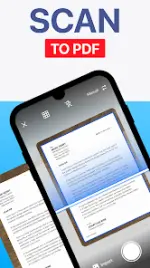

TapScanner v3.1.06 (Pro Unlocked)
TapScanner is a mobile document scanning utility designed to scan, print, and manage physical documents, converting them into high-quality PDF or image formats. The application includes integrated optical character recognition (OCR), editing tools, and cloud backup capabilities.App Specifications
| Feature | Detail |
|---|---|
| Version | v3.1.06 (Build 3106) |
| Age Rating | 9+ |
| Size | 20MB |
| Supported Languages | English (en) |
| Architecture | arm64-v8a, armeabi-v7a |
| Screen DPIs | 160dpi, 240dpi, 320dpi, 480dpi, 640dpi |
Core Features
- Document Scanning & Processing: Automatically detects document borders and auto-crops scans. Supports receipts, business cards, whiteboards, IDs, books, and photos.
- Image Enhancement: Built-in filters to remove shadows, artifacts, and watermarks. Adjustments available for contrast, brightness, and black-and-white conversion.
- PDF Management Tools: * Compress: Reduces PDF file sizes for optimization.
- Split & Merge: Allows splitting a single PDF into multiple files or combining multiple PDFs into one.
- Security: Password-lock functionality to secure PDF files.
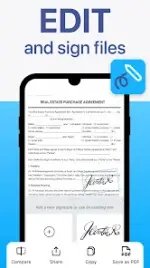
- Sign: PDF signing tools for attaching electronic signatures.
- OCR & Text Extraction: Uses machine learning algorithms to extract text from images. Supports image-to-text conversion and exporting text to document formats (PDF to DOC/TXT).
- QR Code Scanner: Built-in reader supporting links, text, ISBN, and emails.
- File Organization: Supports folder creation, document tagging, and searching by name, tag, or folder.
- Cloud & Sharing: Connects to external cloud storage for automated backups. Exports to JPG or PDF formats for direct sharing and local printing.
Mod Info
- PRO / ρáíd features unlocked
- Premium version enabled
.sourceattributes removed from corresponding Java files- All debug code removed
What's New
- General performance improvements.
- Bug fixes.