 PH
PH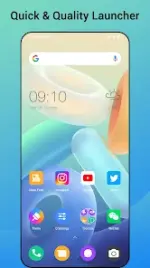
Quick Launcher for Android 16
Quick Launcher is a home replacement application designed to bring the Android 16 interface and feature set to older Android devices. It enhances the native Android launcher experience with additional customization options, gesture controls, and usability improvements.Technical Specifications
| Parameter | Details |
|---|---|
| Compatibility | Android 5.0 and up (All brands/models) |
| Architecture | arm64-v8a, armeabi-v7a |
| Supported Languages | en-AU, en-CA, en-GB, en-IN, en-XC |
| Modification Details | Premium features unlocked; debug info removed |
Core Features
- App Management & Privacy:
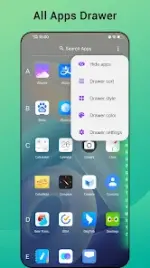
- A-Z classified application drawer for organized searching.
- Built-in app hiding functionality for privacy management.
- Desktop layout locking to prevent accidental modifications.
- Visual Customization:
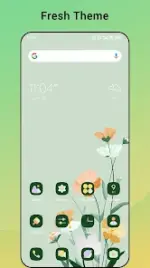
- Support for over 1,000 native and third-party Google Play icon packs.
- Unified app icon styling (switchable between circle, square, or original shapes).
- Individual editing of app icons and names.
- Adjustable grid size, icon size, icon labels, and label colors.
- Customizable drawer background colors and dock backgrounds.
- 10+ search bar style variations.
- Immersive mode option to hide the status bar.
- Interface & Navigation:
- Multi-gesture control mapping (swipe up/down, double tap, two-finger gestures).
- Unread notification counters for SMS, missed calls, and supported applications.
Changelog
- Fixed application assignment bugs within the word widget.
- Fixed style loading issues within the word widget.
- Optimized theme preview images.
- Optimized search bar performance and rendering.
Main link: DownloadLegal Disclaimer: Android is a registered trademark of Google, Inc. This application is inspired by the official Android 16 Launcher but operates independently. It is not affiliated with, sponsored by, or endorsed by Google.

.webp "(ditto) :(ditto):")
