 PH
PH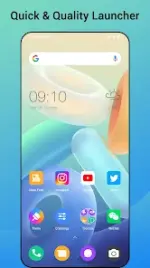
Quick Launcher for Android 16
Technical Specifications
| Category | Details |
| Version | v12.5 |
| Android Requirement | 5.0 and up |
| Architecture | arm64-v8a, armeabi-v7a |
| Mod Features | Premium Unlocked, Debug Info Removed |
| Languages | en-AU, en-CA, en-GB, en-IN, en-XC |
Core Functionality
Quick Launcher for Android 16 is a home replacement application designed to replicate the Android 16 interface on devices running Android 5.0+. It focuses on UI modernization, performance efficiency, and expanded customization options beyond the native launcher.Feature Set
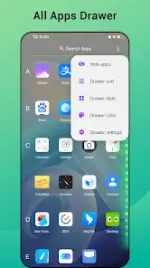
Interface & Navigation- A-Z Classified Drawer: Categorized app drawer for streamlined searching.
- Gesture Controls: Supports swipe up/down, double tap, and multi-finger gestures.
- Status Bar Toggle: Option to hide the status bar for an immersive view.
- Desktop Lock: Prevents accidental layout changes.
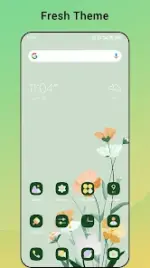
- Theme Support: Access to 2,000+ themes and compatibility with most third-party icon packs.
- Icon Styling: Global icon shape switching (circle, square, original) and individual icon/name editing.
- Grid & Layout: Adjustable grid size, icon scaling, label colors, and dock backgrounds.
- Search Bar: 10+ selectable styles to match system themes.
- Wallpapers: Integrated library of HD online wallpapers.
- App Hiding: Built-in functionality to conceal private applications.
- Unread Counters: Icon badges for SMS, missed calls, and third-party app notifications.
- Drawer Customization: Adjustable background colors for the app drawer.
Version 12.5 Update Logs
- Optimized sidebar functionality.
- Refined Settings page and Sidebar configuration menu.
- Adjusted icon and text dimensions within the settings interface.
Important Information
- Inspiration: This application is inspired by the official Android 16 Launcher but is an independent project. It is not affiliated with or endorsed by Google, Inc.
- Trademark: Android is a registered trademark of Google, Inc.