 PH
PH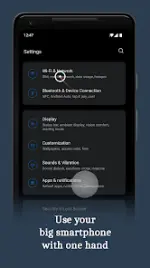
Quick Cursor: One-Hand Aid (v3.0.1)
Quick Cursor introduces a computer-like cursor controlled with one finger via edge swipes, enabling easier one-handed operation on large smartphones.Technical Specifications & Requirements
| Metric / Requirement | Details |
|---|---|
| Android OS Version | 7.0 and up |
| Current Version | 3.0.1 |
| Licensing | Free (No Ads) / Pro Version Included |
| Network Access | None (Does not use internet connection) |
| Data Privacy | Local execution only; no data collected or transmitted |
Core Functionality
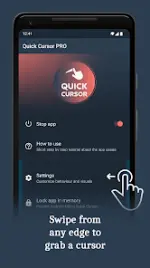
- Activation: Swipe from the left or right margin of the bottom half of the screen.
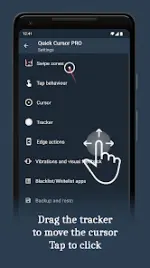
- Navigation: Drag the tracker in the bottom half of the screen to move the cursor across the top half.
- Execution: Tap the tracker to perform a click action. The tracker automatically dismisses upon external interaction or after an inactivity timeout.
Feature Comparison
| Feature Tier | Included Capabilities |
|---|---|
| Free Version | Standard cursor navigation, click actions, ad-free experience. |
| Pro Version | * Advanced Gestures: Swipe, scroll, drag-and-drop via cursor. * Floating Tracker Mode: Persistent on-screen bubble tracker. * Customization: Adjustable dimensions, positioning, appearance, visual effects, and animations for triggers/trackers/cursors. * Behavior Control: Configurable inactivity hide-timers and external action settings. * Edge Actions: Trigger notifications, quick settings, Home, Back, Recents, or side menus. * Keyboard Integration: Move, persist, or disable triggers when the keyboard is active. * Feedback Control: Custom vibration and visual feedback. * Data Management: Backup and restore configuration settings. |
Accessibility & Permissions
Quick Cursor requires the activation of Android Accessibility Services to execute its primary functions.- View and Control Screen: Required to establish active trigger zones.
- View and Perform Actions: Required to execute touch emulation and click actions via the cursor.
- Observe Actions: Required for the "temporarily disable" feature, which pauses the service when transitioning between specific applications.
Version History & Changelog
v3.0.1
- Reclassified as an accessibility tool designed to support users with disabilities.
- Updated localization and translations.
v2.4.1
- Implemented new tracker designs.
- Added a bottom edge action bar.
- Set trigger designs to auto-hide during screenshot capture.
- Resolved brightness action configuration crash.
- Resolved granular volume action crashes on recent Samsung OS builds.
- General stability and crash fixes.
v2.3.3
- Resolved app picker component crash.
- Resolved backup and restore module crash.
- Fixed interface layout misalignment bugs.
- General stability and crash fixes.