 PH
PH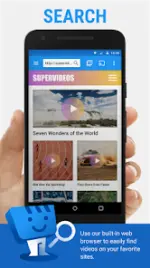
Technical Specifications & Mod Info
| Metric | Details |
|---|---|
| Application Name | Web Video Caster® (Browser to TV) |
| Version / Build | v5.12.13 (Build 5802) |
| Minimum Android OS | 5.0+ |
| Architecture | arm64-v8a, armeabi-v7a |
| Screen DPI | 160dpi, 240dpi, 320dpi, 480dpi, 640dpi |
| Mod Status | Premium Activated (All debug info removed) |
Overview
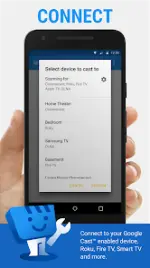
Web Video Caster® is a mobile browser application designed to stream online media-including movies, TV shows, live news, sports, and IPTV-directly from websites to streaming devices and Smart TVs. It extracts the raw video URL from a web page and sends it to the target receiver device, ensuring the source content plays directly from the provider to preserve mobile battery life.The application also supports local casting for device-stored videos, photos, and audio files, along with video downloading capabilities for permitted formats (MP4, AVI, WEBM; excludes M3U8 and MPEG-Dash live streams).
Compatibility Profiles
Supported Streaming Devices
- Chromecast & Roku (Note: Roku does not support resume or queue functions)
- DLNA receivers
- Amazon Fire TV & Fire TV Stick
- Smart TVs (LG Netcast/WebOS, Samsung, Sony, and others)
- PlayStation 4 (via built-in web browser)
- Standard web browsers on alternative consoles and set-top boxes
Supported Media Formats
- HLS live streams in M3U8 format (device dependent)
- IPTV lists (M3U8, W3U, RSS)
- Standard MP4, HTML5, AVI, and WEBM videos
- Local photos, music, and audio files
Features
Core Functionality
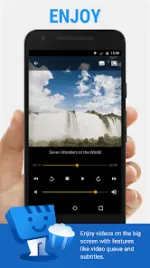
- Subtitle Integration: Detects web page subtitles automatically. Supports external user-provided subtitles and integrates directly with OpenSubtitles.org search.
- Local Media Casting: Bridges local phone or tablet storage content to compatible receivers.
- Video Downloader: Integrated download utility for non-live stream video files from the video list interface.
Premium Features Included
- Removal of in-app advertisements
- Custom homepage configuration and bookmarking
- Play history tracking, media queueing, and playback resume options
- Homescreen shortcut generation
Technical Limitations & Disclosures
- No Flash/FLV Support: The app does not process Flash-based web videos.
- No Tab Mirroring: This is not a screen-mirroring tool; it functions via direct URL parsing.
- Playback Performance: Buffer issues or server failures caused by the content provider cannot be resolved on the application layer.
System Permissions Required
- Phone State: Pauses media during incoming cellular calls.
- Wi-Fi Connection Info: Required for browser functionality and discovery of local streaming devices.
- Storage Access: Necessary for storing downloaded video files.
- Wake-Lock: Prevents the device from sleeping during live stream processing or authenticated media routing.
- Accounts/Identity: Required by Google Play Services (7.5+).
- Location: Requested strictly on Android 6+ only if a browsed website requests geolocation.
Changelog
- Bug fixes implemented.