 PH
PH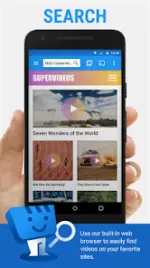
Web Video Caster v5.12.10 (Build 5622) [Premium]
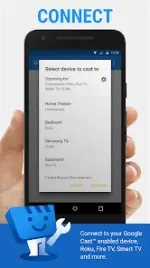
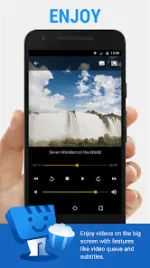
Web Video Caster is a browser-based utility that enables the streaming of online media-including movies, TV shows, live news, sports, and IPTV-directly to external streaming devices. It captures video URLs from web pages and transmits them to the receiver, which then plays the content directly from the provider. The application also supports local video, audio, and photo casting, alongside subtitle integration via web page detection, local files, or OpenSubtitles.org.Technical Specifications
| Category | Details |
| Version | 5.12.10 (Build 5622) |
| Android Requirement | 5.0+ |
| Architectures | arm64-v8a, armeabi-v7a |
| Screen DPIs | 160dpi, 240dpi, 320dpi, 480dpi, 640dpi |
| Mod Status | Premium Activated; Debug info removed |
Supported Media & Devices
| Supported Devices | Supported Formats |
| Chromecast | HLS live streams (M3U8) |
| Roku | MP4, AVI, WEBM |
| DLNA Receivers | IPTV (M3U8, W3U, RSS) |
| Amazon Fire TV / Fire TV Stick | HTML5 Videos |
| Smart TVs (LG WebOS/Netcast, Samsung, Sony) | Photos & Audio files |
| PlayStation 4 (via web browser) | Subtitles (Internal & External) |
Key Features
- Direct Streaming: Content is played by the streaming device rather than the mobile device to preserve battery life.
- Video Downloader: Support for downloading permissible MP4, AVI, and WEBM files (excludes M3U8/MPEG-Dash).
- Premium Functionality:
- Ad-free interface.
- Bookmarks and customizable home page.
- Video history and playback queue.
- Resume playback (Note: Not supported on Roku).
- Homescreen shortcuts.
Permissions & System Integration
- Phone State: Pauses video during incoming calls.
- Wi-Fi Information: Required for device discovery and browser communication.
- Storage: Necessary for downloading files and accessing local media.
- Wake-lock: Prevents device sleep during live stream routing or authenticated video sessions.
- Location: Requested on Android 6+ only when a browsed website requires it.
- Accounts/Identity: Required for Google Play Services (7.5+).
Technical Limitations
- Decoding: The app does not perform server-side transcoding; the receiving device must support the source codec.
- Flash/FLV: Not supported.
- Tab Casting: The app does not support mirroring or tab casting (e.g., Chromecast PC extension style).
- Provider Issues: Buffering or playback failures caused by content providers or server load cannot be resolved by the application.
Recent Updates (v5.12.10)
- Added option to prioritize Android TV receiver for Chromecast.
- Implemented multiple fixes for YouTube playback.
- Improved proxy performance for long-duration videos and live streams.
- General bug fixes and stability improvements.