 PH
PH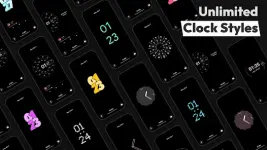
Application Overview
AOD Flow is an Always On Display (AOD) application designed for AMOLED and OLED screens. It replaces the default lock screen with interactive watch faces, notification management, and media controls while incorporating screen protection mechanisms.Technical Specifications
| Parameter | Specification |
|---|---|
| App Name | AOD Flow: Always On Display |
| Version | v1.3.1 [Pro] / Premium |
| OS Requirement | Android 7.0 and up |
Key Features
Display & Customization
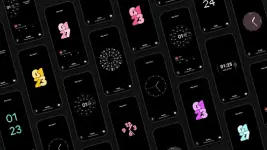
- Clock Styles & Watch Faces: Includes fullscreen analog, digital, and minimal edge-to-edge clock styles.
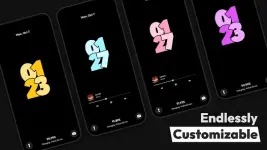
- Customization Engine: Supports modification of fonts, styles, colors, date/time formats, and sizes.
- StandBy Mode: Transforms the device into a smart bedside nightstand or desk clock with smooth animations and night mode during charging.
Media & System Control
- Advanced Media Control: Direct control of music and video playback from the AOD, including track skipping and timeline seeking.
- Notification Integration: View and interact with system notifications directly on the AOD interface.
- Quick Utilities: Shortcuts for double-tap to exit, torch activation, and camera launch.
Hardware Optimization & Protection
- Burn-in Protection: Built-in pixel-shifting techniques tailored for AMOLED/OLED panel longevity.
- Power Management: Includes a Power Saving Mode that pauses animations (e.g., rotating clocks) after a set duration, alongside custom dimming and timeout schedules.
- Device Detection: Features automatic pocket detection (pocket mode) and fast charging status detection.
Changelog & Version Updates
- Performance improvements and optimization tweaks.
- Premium/Pro feature unlocking enabled.