 PH
PH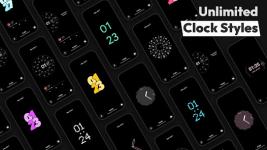
 App Description:
  AOD Flow: Always On Display v1.2.5 [Pro]
 Transform your locked screen into a sleek, functional command center with AOD Flow. Designed specifically for AMOLED/OLED displays, this pro-version brings elegance and utility to your fingertips without waking your device.
 Interactive Clock Styles: Choose from a premium collection of modern, minimal, and edge-to-edge watch faces.
 Advanced Music Control: Seamlessly skip tracks and seek through your favorite jams directly from the AOD.
 Real-Time Insights: Stay updated with precise battery percentages, date, and time at a glance.
 Burn-In Protection: Built-in AMOLED/OLED safeguards ensure your pixels stay healthy and vibrant.
 Smart Features: Includes Pocket Mode to prevent accidental touches and Screen Dim timers for ultimate efficiency.
 Instant Notifications: Stay connected with elegant, non-intrusive alerts that keep you in the loop.
Experience the perfect blend of style and performance. Upgrade your Android experience with the ultimate AOD customization tool!
Requirements: Android 7.0 and up.
Would you like me to generate some catchy taglines or a set of keywords for the Play Store listing?
 MOD Features:
 - •Aesthetic and Beautiful Clock Styles: Personalize your lock screen with a variety of modern and stylish clock styles.
- • Notifications on Always On Display (AOD): View and interact with notifications directly on your AOD screen.
- • Advanced Music and Video Control: Control your music directly from the AOD, including seeking progress and changing tracks.
- • Fast Charging Detection: Automatically detects and displays when your device is fast charging, so you can get back to full power quicker than ever.
- •AMOLED/OLED Burn-in Protection: Protect your screen with built-in burn-in prevention techniques tailored for AMOLED and OLED displays.
- • Customizable AOD Timing and Dim Settings: Adjust the AOD display time and dimming options to conserve battery life.
- • Power Saving Mode: Save energy by pausing animations like rotating clocks after a set period.
- • Double Tap to Exit: Effortlessly exit the AOD screen with a simple double-tap gesture.
- • Torch and Camera Support: Access the torch and camera functions directly from your AOD for quick utility.
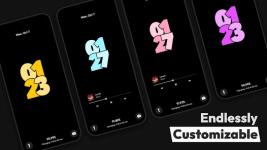
- • Custom Fonts, styles, colors, and Sizes: Customize clock fonts, colors, and sizes to match your personal style.
- • Flexible Date and Time Formats: Display the date and time in formats that suit you best.
- •StandBy Mode: It can also turn your device into a Smart Display Bedside NightStand or Desk Clock with smooth animations, digital and fullscreen analog clocks, night mode, and quick launch for an enhanced charging experience.
- Whether you're always on the go or just want more control over your device, AOD Flow is the perfect app for you. It offers a customizable Always On Display that keeps your screen both stylish and functional.
 Download Link:
Download
Download Link:
Download