 PH
PHSupertonic — Lightning Fast, On-Device, Accurate TTS
You do not have permission to view the full content of this post.
Log in or register now.
Supertonic is a lightning-fast, on-device text-to-speech system designed for local inference with minimal overhead. Powered by ONNX Runtime, it runs entirely on your device—no cloud, no API calls, no privacy concerns.
Refer here for all information and manual setup:
You do not have permission to view the full content of this post. Log in or register now.
For your issues ask here:
You do not have permission to view the full content of this post. Log in or register now.
=====================================================================
It runs on many programming platforms but python is the one used on this project. This is the best choice if you don't have GPU - cpu is enough for normal use. Kung nabilisan kayo kay Kokoro TTS, this one is even faster than SAPI 5 TTS in your windows pc. Decent din ang audio.
If you want to use this with a Web UI, try this: You do not have permission to view the full content of this post. Log in or register now.
Supertonic TTS — Local WebSocket Server & Web UI
Same as original, with some added tools to be user-friendly.Since websocket server siya, you can't use it yet sa inyong TTS UI (OpenAI compatible) using http/s, not unless it supports WS. Pag-aralan ko pang paganahin using HTTP REST API with Fast Api. For now, dependable pa rin siya.
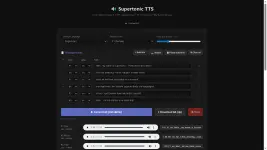
Ito na lang gamitin nyo to make it a tts server and client via http/s:
You do not have permission to view the full content of this post. Log in or register now.
You do not have permission to view the full content of this post. Log in or register now.
For voice mixing, try this:
You do not have permission to view the full content of this post. Log in or register now.
Interconnected naman sila as they use the same "assets".
Note: kung gusto nyong paganahain yung supertonic-tool as an http and ws TTS server, subukan nyo na lang yung "python code" attachment sa baba. And endpoint nyan is You do not have permission to view the full content of this post. Log in or register now.. Natagalan akong mag-test at di madaling gumawa ng wrapper, he he. May backup naman kayo kay You do not have permission to view the full content of this post. Log in or register now.!
Just use this curl script to verify:
Code:
curl http://127.0.0.1:8000/v1/audio/speech -X POST -H "Content-Type: application/json" -d "{\"input\":\"Testing local server connection\",\"voice\":\"alloy\"}" --output test_rest.wav