 PH
PH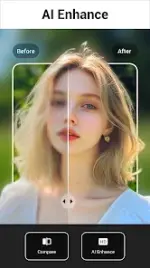

Lumii AI Photo Editor | v3.01.204 [Pro]
Lumii is an all-in-one photo editing and enhancement suite for Android, featuring advanced HSL controls, batch editing, and multi-draft workspace support. This version includes the Pro features activated with all debug information removed.Technical Specifications
| Category | Details |
|---|---|
| Version | v3.01.204 (Build 204) |
| Android Requirement | 7.0+ |
| DPI Support | 160dpi, 240dpi, 320dpi, 480dpi, 640dpi |
| Languages | Multi-language support |
| Status | Pro Activated / Premium |
| Note | AI server-side features may be restricted due to updated developer protections. |
Core Feature Set
Professional Color & Manual Adjustments- HSL Editor: Granular control over Hue, Saturation, and Luminance.
- Curves Tool: Advanced RGB and tonal curve adjustments.
- Basic Tools: Exposure, brightness, contrast, highlights, warmth, shadows, and sharpness.
- Double Exposure: Photo blend editor for creating overlay effects.
- Filter Library: 100+ presets including Film, LOMO, and Retro styles.
- Glitch Effects: VHS, vaporwave, and digital distortion tools.
- Background Tools: AI-assisted background eraser, cutout tool for ID photos, and BG replacement.
- Blur & Privacy: Bokeh light spots, portrait blur, and mosaic/pixelation for privacy.
- Skin Tools: Smoothing, blemish removal, and wrinkle reduction.
- Enhancements: Teeth whitening, skin glow, and AI Flash.
- Artistic Filters: AI Art filters, anime avatar generation, and 3D cartoon effects.
- Templates: Artistic layouts optimized for social media sharing.
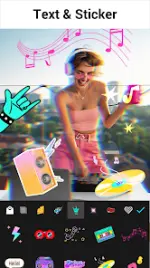
- Typography: Text-on-photo support with diverse font presets.
- Stickers & Doodles: Customizable stickers and freehand drawing tools.
- Frames: Multiple themes including Vintage, Film, and Minimalist.
Workflow Management
- Batch Editing: Process multiple images simultaneously.
- History Support: Non-destructive editing with access to previous changes.
- Multi-Draft Workspaces: Save and manage multiple ongoing projects.
- No Watermark: High-quality export without branding.
Recent Updates (v3.01.204)
- Integrated "Fresh" spring filter collection.
- Added FishEye Lens effect for AI Art animation.
- General performance optimizations for smoother editing.