 PH
PH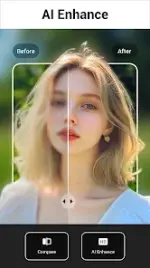

Lumii: AI Photo Editor Pro
Lumii is a comprehensive photo editing application for Android designed for both entry-level users and professionals. It provides advanced color manipulation, AI-driven enhancements, and a library of over 100 filters and effects without interstitial advertisements during the editing process.Technical Specifications
| Category | Details |
|---|---|
| OS Requirement | Android 7.0+ |
| Version Features | Pro Features Unlocked (Note: Server-side AI features may be restricted) |
| Workspace | Multi-draft support with editing history |
Core Features
AI and Automated Tools
- AI Photo Enhancer: Tools to unblur and upscale image quality to HD.
- Background Management: Auto Background Eraser and BG remover with preset background integration.
- Object Removal: "Quick Erase" and "AI Remove" for detecting and deleting unwanted objects.
- AI Avatar: Generation of Anime-style avatars.
Professional Color & Lighting
- HSL Color Room: Granular control over Hue, Saturation, and Luminance across 8 color channels.
- Curves Tool: Pro-level adjustment utilizing 4 color options (RGB and individual channels).
- Basic Adjustments: Precision sliders for brightness, contrast, highlights, warmth, shadows, sharpness, and exposure.
Creative Effects & Overlays
- Filters: 100+ presets including Film, LOMO, and Retro with adjustable strength.
- Double Exposure: Professional blend editor with dedicated templates.
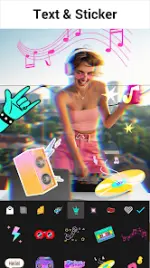
- Glitch Editor: Specialized effects including VHS and Vaporwave.
- Typography: Support for multiple fonts and stylish text presets.
Composition & Templates
- Transformation: Free-form cropping, social media aspect ratio presets, and rotation tools.
- Templates: Themed layouts including Retro film, Aesthetic, Urban, and Journal.
Latest Updates
- New Filters: Added "Fresh" filter collection.
- AI Art: Integration of animated FishEye Lens effects.
- Performance: Optimization for smoother editing workflow.
Feature Summary Table
| Feature | Functionality |
|---|---|
| Background Eraser | One-tap removal and cutout mixing |
| Double Exposure | Blend editor with template support |
| HSL Adjustment | Advanced 8-channel color control |
| Curves | Darkroom-style precise tonal mapping |
| History | Non-destructive editing with history tracking |