PH
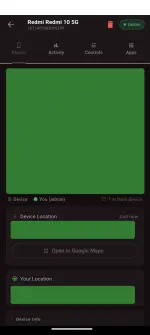
PH Real-Time Location Tracking
Live GPS map
Shows distance between your current location and the rental device
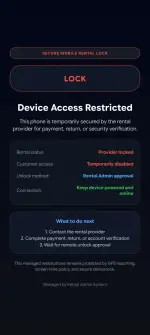
 Remote Lock & Unlock
Lock the device screen instantly from the admin app
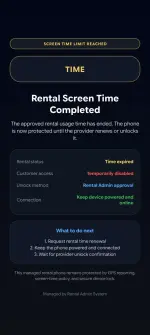
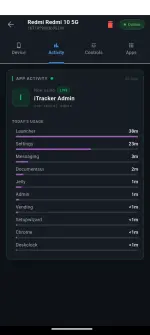
 Rental Timer / Screen Time
Set a timer per device (rental duration)
Countdown shown on admin dashboard
Auto-lock when timer expires + push notification to admin
 Remote Ring
Ring the device remotely (useful if renter doesn't respond)
Auto-stops after 30 seconds or on manual stop
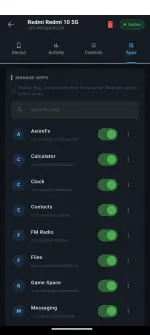
 Manage Apps
View all installed launcher apps in real-time
Hide/Show apps from the launcher (renter can't see or open them)
Uninstall apps remotely
Clear cache or clear data per app
Updates instantly when renter installs/uninstalls anything
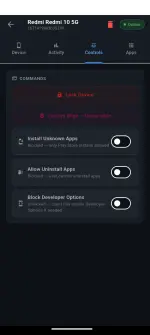
 Device Restrictions
Block/Allow installing apps from unknown sources
Block/Allow uninstalling apps
Block/Enable developer options & USB debugging
All enforced at the DPM level — renter cannot bypass
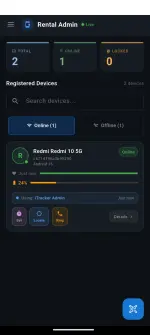
 Battery Monitoring
Live battery percentage per device on the dashboard
Shows device model name and last active time
 Support Chat
Built-in real-time chat support
 QR Code Enrollment
Register a new device by scanning a QR code from the admin app
DOWNLOAD LINK : You do not have permission to view the full content of this post.
Log in or register now.
Prerequisites
ADB (Android Debug Bridge)
USB Debugging enabled on the rental phone (
Settings → Developer Options → USB Debugging)The phone must have no Google/phone accounts signed in — this is required for Device Owner activation. If there are existing accounts, do a full factory reset and skip Google login during setup.
Installation Steps
1. Extract the project files to your PC
2. Connect the rental phone to your PC via USB cable (Make sure already connected to internet)
3. Double-click
install.bat and choose option 1 (Install + Full Setup)The installer will automatically:
 If Device Owner fails: The installer will warn you that existing accounts were detected. Remove all accounts from the phone (
Settings → Accounts) or do a factory reset, skip Google login, and run install.bat again.4. Open the admin app → tap the + button → scan the QR code shown on the rental phone to pair it.
Report any bug on support chat. Thanks!
ADMIN APP
RENTAL SERVICE APP