 PH
PH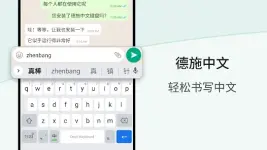
App Overview: Desh Chinese Keyboard (Pinyin)
Desh Chinese Keyboard is a Pinyin-to-Simplified Chinese transliteration tool for Android. It allows users to input Chinese characters phonetically using an English QWERTY layout, with real-time conversion and word suggestions.Technical Specifications
| Detail | Specification |
|---|---|
| Version | 17.2.6 |
| Minimum OS | Android 5.0 and up |
| Architectures | armeabi-v7a, arm64-v8a |
| Input Method | English to Simplified Chinese Transliteration |
| Modification | Premium Unlocked; Debug code removed; Cleaned build |
Key Features
- Phonetic Typing: Converts English characters (Pinyin) to Chinese characters instantly across all applications.
- Language Toggle: Dedicated button to switch between English and Chinese input modes; includes English word suggestions.
- Emoji & Media Integration:
- Integrated emoji bar with skin tone support (long-press functionality).
- On-device sticker browser for direct insertion into messaging apps.
- Customization: Supports preset keyboard themes and user-defined photo themes.
- App Search: Integrated feature to search and launch installed applications.
- Ease of Use: Long-press Space key for quick keyboard switching; swipe-up gesture to save status.
Privacy and Security
- Data Collection: No personal information or credit card details are collected.
- Telemetry: Anonymous statistics may be collected for performance optimization.
- Permissions: Storage permission is required specifically for the sticker browsing feature.
Version 17.2.6 Changelog
- Implemented "Save status" via swipe-up gesture.
- Added "Save stickers to favorites" functionality.
- Optimized build size by removing redundant files and debug symbols.