 PH
PH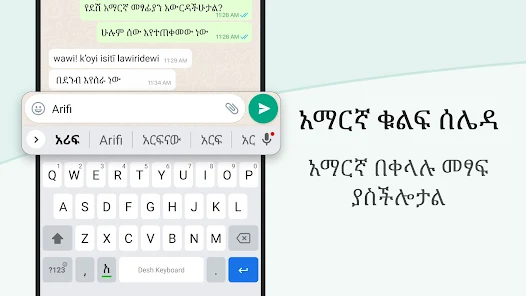
Amharic Transliteration Keyboard v17.2.6 [Premium]
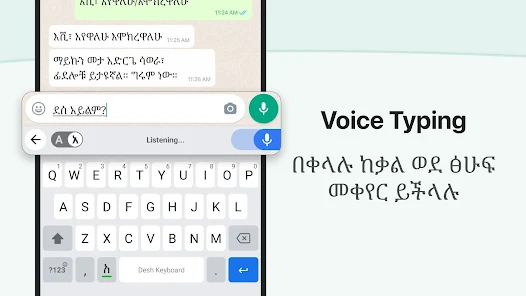
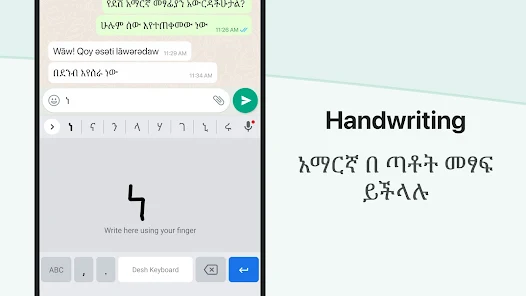
This Android input method facilitates Amharic typing via phonetic English character transliteration. The keyboard integrates directly with all system applications, eliminating the need for manual copy-pasting.Technical Specifications
| Feature | Details |
|---|---|
| Version | 17.2.6 |
| OS Requirement | Android 5.0 and up |
| Input Method | Phonetic Transliteration (English to Amharic) |
| Architectures | armeabi-v7a, arm64-v8a |
| Privacy | No personal data or credit card details collected |
Core Features
- Real-time Conversion: Instant transliteration of English keystrokes into Amharic script.
- Dual-Language Toggle: Dedicated language button to switch between English and Amharic modes.
- Visual Customization: Access to 21+ color themes via the application settings.
- Emoji Integration: Support for three pages of smileys, accessible by long-pressing the "123" key.
- App Search: Integrated tool to search for installed applications and discover relevant content.
- Word Suggestions: Predictive text suggestions based on phonetic input.
Setup Instructions
- Launch the Amharic Keyboard application post-installation.
- Enable the keyboard in system settings and set it as the default input method.
- Select preferred visual theme from the 21 available options.
- Input text phonetically in any application.
Modification Log (TRUMods)
- Premium Status: All premium features unlocked.
- Optimization: Removal of redundant files and debug codes.
- Cleanup: Optimized package size and resource usage.
Changelog
- Status Saver: Swipe up gesture implemented to save status updates.
- Sticker Management: Option to save stickers to a favorites category.