 PH
PH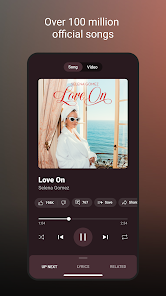
YouTube Music Morphe
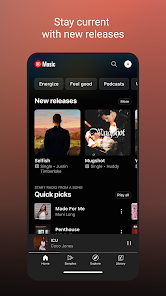
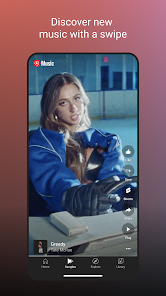
YouTube Music Morphe is a modified version of the YouTube Music application, integrating custom patches to enable premium features and interface optimizations. It is based on the Morphe mpp framework and includes integrated support for Return YouTube Dislike and SponsorBlock.Technical Specifications
| Detail | Information |
|---|---|
| Base Version | YouTube Music v8.47.56 |
| ρá†ch Version | Morphe mpp v1.24.0-dev.6 |
| Package Name | app.morphe.android.apps.youtube.music |
| Architectures | arm64-v8a, armeabi-v7a |
| DPI Support | 120dpi, 160dpi, 240dpi, 320dpi, 480dpi, 640dpi |
| OS Requirement | Android 8.0+ |
| Variant | Non-Root (Requires GMSCore/MicroG) |
| Localization | Full Multi-Language Support |
Key Features and Modifications
- Playback: Ad-free music streaming, background playback, and forced miniplayer support.
- Audio Optimizations: Exclusive audio playback, disabled DRC (Dynamic Range Compression), and forced original audio.
- Interface Customization: Custom branding, adjustable miniplayer colors, permanent repeat mode, and the ability to hide "Get Music Premium" prompts, category bars, and specific buttons.
- Privacy & Logic: Bypassed certificate checks, QUIC protocol disabled, sanitized sharing links, and GMSCore support for account login.
- Search & Discovery: Search by lyrics/description, context-based recommendations, and trending lists.
Applied Patches
The following patches have been integrated into this build:- System: Bypass certificate checks, Change package name, Enable debugging, GMSCore support, Disable QUIC protocol.
- UI/UX: Custom branding, Change header, Change miniplayer color, Change start page, Hide buttons/category bar, Navigation bar tweaks.
- Functional: Remove background playback restrictions, Hide music video ads, Miniplayer previous/next buttons, Permanent repeat, Sanitize sharing links.
- Audio/Video: Disable DRC audio, Enable exclusive audio playback, Force original audio, Check watch history domain name resolution.
Installation and Configuration
- Requirement: Install MicroG Services (GMSCore) prior to the application.
- Process: Install the YouTube Music Morphe APK, launch the app, and sign in via the Google account interface.
- Playback Troubleshooting: If playback issues occur, navigate to
Settings > Morphe > Miscellaneousand enable Spoof video streams. Users may also manually select a Default client for spoofing in this menu. - Appearance: App icon and name (Original vs. Morphe) can be toggled under
Settings > Morphe > General.
Changelog
- Base application updated to YouTube Music v8.47.56.
- Updated to latest Morphe mpp features, bug fixes, and performance optimizations.