 PH
PH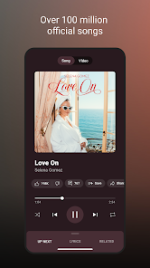
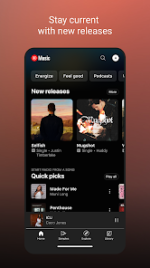
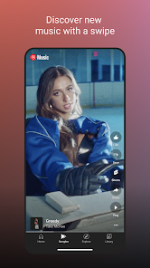
YouTube Music Morphe
YouTube Music Morphe is a modified version of the YouTube Music application. This build incorporates the Morphe mpp patching framework to provide enhanced playback features, including ad-blocking and background play.Build Specifications
| Category | Details |
|---|---|
| Base Version | YouTube Music v8.47.56 |
| ρá†ch Version | Morphe mpp v1.24.0 |
| Package Name | app.morphe.android.apps.youtube.music |
| Architecture | arm64-v8a, armeabi-v7a |
| OS Requirement | Android 8.0+ |
| DPI Support | 120dpi, 160dpi, 240dpi, 320dpi, 480dpi, 640dpi |
| Localization | Full Multi-Language Support |
Key Features
- Ad-Free Playback: Removal of music video ads and fullscreen advertisements.
- Background Play: Persistent audio playback with screen locked or while using other applications.
- Premium Functionality: Unlocked "Offline Mixtape" and download capabilities.
- Enhanced Audio: Support for Track Crossfade, Forced Original Audio, and Disabled DRC (Dynamic Range Compression).
- Community Integrations: Includes SponsorBlock and Return YouTube Dislike (RYD) functionality.
- Customization: Options to change app branding (icon/name), miniplayer colors, and navigation bar layout.
Technical ρá†ch Log (mpp v1.24.0)
| Type | Description |
|---|---|
| Bug Fix | Permanent Repeat: Resolved issue where repeat state was not preserved (#1193). |
| Feature | Hide Ads: Added toggle for fullscreen advertisements (#1192). |
| Feature | Track Crossfade: Integration of crossfade ρá†ch (#1065). |
| Feature | Base Update: Compatibility support for v8.47.56. |
Comprehensive ρá†ch List
- Core: GmsCore support, Bypass certificate checks, Disable QUIC protocol, Spoof video streams.
- UI/UX: Custom branding, Change start page, Hide category bar, Navigation bar customization, Enable forced miniplayer.
- Playback: Remove background playback restrictions, Enable exclusive audio playback, Sanitize sharing links, Miniplayer previous/next buttons.
- Development: Enable debugging, Change package name, Change header.
Installation & Configuration
- Requirement: Non-Root variant requires MicroG Services (GmsCore) to be installed first for Google account synchronization.
- Process: Install GmsCore > Install YouTube Music Morphe > Log in via Google account.
- Playback Fix: If playback issues occur, navigate to Settings > Morphe > Miscellaneous and enable "Spoof video streams."
- Branding: App icon and name preferences can be toggled under Settings > Morphe > General.