 PH
PH
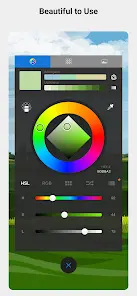
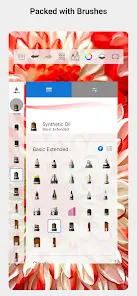
Autodesk SketchBook v6.2.5
Autodesk SketchBook is a cross-platform professional painting and drawing application utilizing the same engine as its desktop counterpart. It features a streamlined interface designed for mobile hardware.Application Specifications
| Category | Details |
|---|---|
| Version | 6.2.5 (Build 454236) |
| Membership | Multi-platform support; account-based feature unlocking |
| Cloud Integration | Dropbox |
| Maximum Zoom | 2500% |
| Languages | English, French, German, Italian, Japanese, Korean, Portuguese, Russian, Simplified Chinese, Spanish, Traditional Chinese |
Core Features
- Workspace: Full-screen canvas with an unobtrusive user interface.
- Standard Tools: 10+ preset brushes including pencils, pens, and markers.
- Organization: Gallery with multiple view options, albums, and flexible ordering.
- Account Features: Layer Editor and Symmetry Tools (requires free account login).
Advanced Pro Tools
Available via the Premium bundle, these tools include:- Brush Library: 100+ presets including Synthetic and Smudge brushes.
- Layer Management: 18 blending modes for advanced image composition.
- Color Tools: Full Copic® Color Library.
- Precision Tools: Marquee, Lasso, and Magic Wand selection; Linear and Radial gradient fills; Ruler guides.
Recent Updates
| Feature | Enhancement |
|---|---|
| Color Editor | Ability to reorder palettes; identification of active swatches. |
| Toolbar | Copy, Paste, and Cut added to the selection sub-toolbar. |
| Selection (Premium) | Draw Outline: Applies a stroke to the active selection line. |
| Fill (Premium) | Lasso Fill: Automatically fills the lassoed area with the active color. |
| Performance | General bug fixes and stability improvements. |