 PH
PHJust sharing lang the workflow just in case meron gagawa,
This is only a recomendation, maaring meron pa kayong ibang tinatagong teknik.
This is the most important part (not the tech).
Typical ideas:
 The first 2 seconds must hook or the video dies.



6
Use any AI image generator:
Prompt example:
 Tip: Keep the face centered — easier for lip-sync later.
Use AI voice tools:
Write a short script (5–15 seconds max):
Emotion matters more than realism.


6
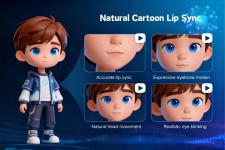
This is where the magic happens.
Popular tools:
Upload image + audio → it animates the mouth automatically.
Use:
Add:
Fast pacing = higher retention.
Platforms:
Best practices:
This is only a recomendation, maaring meron pa kayong ibang tinatagong teknik.
 1) Come up with a quick “hook”
This is the most important part (not the tech).
Typical ideas:
- Drama: “Apple cheated on Banana
 ”
” - Funny: “Angry carrot yelling at humans”
- Relatable: “Broccoli explaining gym life”
The first 2 seconds must hook or the video dies.6
Use any AI image generator:
- DALL·E
- Midjourney
- Leonardo AI
Prompt example:
“A realistic apple with human eyes and mouth, E×ρréššive face, cinematic lighting”
Tip: Keep the face centered — easier for lip-sync later.Use AI voice tools:
- ElevenLabs
Write a short script (5–15 seconds max):
“You ate my brother… and now you want a smoothie?!”
Emotion matters more than realism.6
This is where the magic happens.
Popular tools:
- D-ID
- HeyGen
- TokkingHeads
Upload image + audio → it animates the mouth automatically.Use:
- Adobe Premiere Pro
- Filmora
- capcut
Add:
- Zoom cuts (every 1–2 seconds)
- Subtitles (BIG, bold)
- Sound effects (dramatic boom, slap, etc.)
- Background music
Fast pacing = higher retention.Platforms:
- TikTok
- Instagram (Reels)
- YouTube (Shorts)
Best practices:
- 5–12 seconds length
- Loop ending (so it repeats smoothly)
- Caption like:
“Part 2??
 ”
”