 PH
PH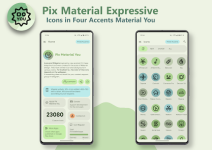
Pix Material E×ρréššive Icons v11.7.5.Build [Patched]
This adaptive icon set is designed with Material You support, featuring a linear outline style and a dynamic background system. It utilizes an expanded Monet palette including four additional accent colors for enhanced personalization.Technical Specifications
| Category | Details |
|---|---|
| Minimum OS | Android 8.0+ |
| Version | v11.7.5.Build [Patched] |
| License | Premium |
| Total Icons | 23,000+ Adaptive Icons |
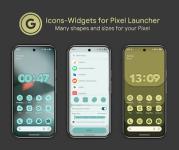
| Included Widgets | Clock, Music, Icon Widgets |
Version Compatibility
- Android 8-11: Icons utilize a pastel color palette (No Monet support).
- Android 12+: Full Material You integration. Icons and widgets dynamically pull three colors from the system wallpaper palette.
Recommended Launchers
| Launcher | Color Integration (Android 12+) |
|---|---|
| Nova (8.0.4+), Smart, Hyperion, Niagara, AIO, Stario | Automatic color updates |
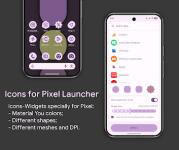
| Pixel Launcher | Requires use of Icon Widget |
| OneUI Launcher | Requires Theme Park |
| Lawnchair, Action, Ruthless, Others | Manual re-application may be required |
Usage Notes (Android 12+)
To update icon colors after a wallpaper change:- Ensure the system color palette is enabled in wallpaper settings.
- Re-apply the icon pack (or toggle to another pack and back) unless using a launcher that supports automatic updates.
- Access widgets via the standard home screen long-press menu under "Pix Material You".
Changelog
- Mini-Folder: Added Category support and Icon Picker.
- Fixes: Resolved issues with icons not applying correctly.
- Design: Redesigned select icons for improved visual consistency.