 PH
PH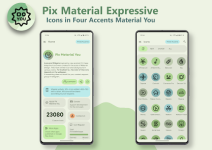
Pix Material E×ρréššive Icons v11.6.0.Build [Patched]
Pix Material E×ρréššive is an adaptive icon pack built with Material You support. It utilizes a linear outline design with dynamic backgrounds that adjust based on the system wallpaper. In addition to the standard Monet palette, the pack includes four E×ρréššive accent colors for enhanced UI customization.Technical Specifications
| Category | Details |
| Version | v11.6.0.Build [Patched] |
| Android Requirement | 8.0 and up |
| Total Icons | 26,600+ |
| Design Style | Adaptive, Linear Outline |
| Mod Status | Premium / Patched |
OS-Specific Behavior
| OS Version | Color Logic |
| Android 8-11 | Icons utilize fixed pastel colors (Monet support unavailable). |
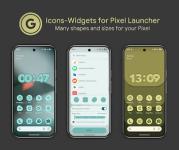
| Android 12+ | Icons and widgets dynamically use three Material You colors derived from the wallpaper. |
Included Assets
- Icons: 23k+ Adaptive Icons.
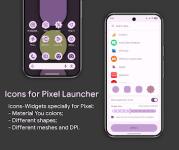
- Widgets: Clock Widgets, Music Widget, Icon Widget.
- New in v11.6.0: Added new shapes for Icon and Folder widgets; redesigned various icons; fixed application issues.
Launcher Compatibility & Implementation
| Launcher Type | Color Update Behavior (Android 12+) |
| Automatic | Nova (beta 8.0.4+), Smart, Hyperion, Niagara, AIO, Stario. |
| Manual / Special | Pixel Launcher (via Icon Widget), OneUI (via Theme Park). |
| Compatible | Action, Ruthless, Lawnchair, and others. |
Usage Instructions
Color Synchronization (Android 12+): To update icon colors after a wallpaper or system accent change, the icon pack must be reapplied manually unless using a launcher with automatic support. The system color palette must be enabled in the device wallpaper settings.Accessing Widgets: Long-press the home screen, select Widgets, and locate Pix Material You in the menu.
Download