 PH
PH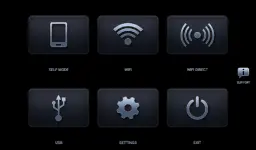
Headunit Reloaded (HUR) Emulator for Android Auto
Headunit Reloaded is an emulator for Android Auto, originally conceived by Michael Reid. It allows an Android device to function as a headunit receiver for Android Auto via multiple connection protocols.Technical Specifications
| Category | Details |
|---|---|
| Android Version | 5.0+ |
| Architectures | arm64-v8a, armeabi-v7a, x86, x86_64 |
| Screen DPIs | 120dpi, 160dpi, 240dpi, 320dpi, 480dpi, 640dpi |
| MD5 Digest | 445a316c63f18e7adbc9a76ef0e95105 |
| Status | Untouched ρáíd APK / Original Hash Signature |
Connection Methods
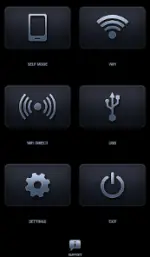
- USB Mode: Connect the device via USB (OTG cable required for tablets). Set HUR as the default application. On Android 7.0+, users may need to manually select the connected USB device from the notification bar.
- WiFi Mode: Requires the WiFi Launcher app. Configuration involves connecting the headunit to the phone's hotspot and initiating the link. Roles (hotspot/client) can be reversed if necessary.
- Self Mode: Enables running both Android Auto and HUR on the same physical device. Requires Android Auto to be installed.
Compatibility & Hardware Support
| Type | Supported Units / Hardware |
|---|---|
| Brands | Joying, Eonon, Grom Vline, Xtrons, A-Sure, Avin |
| Chipsets | PX5, PX3, RK3188, RK3066 |
| Features | Hardware key support, Intent support |
Troubleshooting
- Black Screen (Android Headunits): Verify system settings to ensure "Video Playback during drive" is enabled.
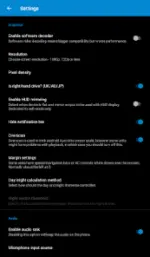
- Decoding: If display issues persist, enable Software decoding within the HUR settings menu.
Recent Changes
- Complete application overhaul.
- Compatibility with WiFi Launcher 4.0.
- Added Picture-in-Picture (PiP) support.
- Resolved Self Mode bugs, including fixes for Android Auto 16.4 and above.