 PH
PH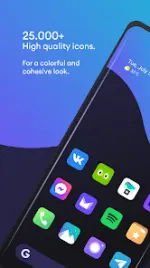


Borealis - Icon Pack v2.193.0
Technical Specifications
| Requirement | Details |
|---|---|
| Version | v2.193.0 [Patched] |
| Android Version | 5.0 and up |
| Features | Premium |
| Update Notes | 50+ new icons |
Core Features
- Icon Library: 31,000+ high-quality icons with multiple alternatives.
- Consistency: Icon masking for unthemed applications to maintain visual homogeneity.
- Dynamic Elements: Supports dynamic calendar functionality (launcher dependent).
- Wallpapers: 48+ high-resolution cloud-based wallpapers.
- Dashboard: Modern and intuitive interface including an FAQ section.
- Request System: Built-in tool for requesting icons for unthemed apps.
Compatibility and Installation
Supported Launchers: ABC, Action, ADW, Apex, Atom, Aviate, CM Launcher, Evie, GO Launcher, Holo, Holo HD, Lucid, M Launcher, Mini, Next, Niagara, Nougat, Nova, OnePlus, Smart, Solo, Square, V Launcher, ZenUI, and others.Installation Steps:
- Install a compatible launcher.
- Open the Borealis dashboard and select Apply, or manually select the pack within the launcher's theme settings.
Troubleshooting
- Icon Scaling: If using alternative icons, ensure the "normalize icon size" option is disabled in the launcher settings to prevent scaling issues.
- Requirement: A supported third-party launcher is mandatory for functionality.