 PH
PH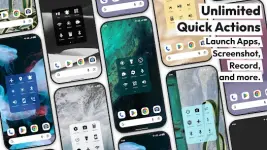
Action Dot: Assistive Touch v1.1.1 (Pro)
Action Dot is a floating utility tool designed to provide system controls and application shortcuts from any screen. The app facilitates one-handed operation and reduces reliance on physical hardware buttons through a customizable floating "Action Dot" that supports tap, double-tap, and long-press gestures.Technical Specifications
| Category | Details |
|---|---|
| Version | v1.1.1 build 11 [Pro] |
| Android OS | 7.0+ |
| License | Premium / Pro Unlocked |
| Optimizations | Removed trackers, billing codes, unnecessary files, and dex debugs |
Core Functionality
System & Hardware Controls- Navigation: Virtual Home, Back, and Recent Apps keys; Power/Global actions menu access.
- Hardware Protection: Software-based Screen Off (Lock), Volume management, and Screenshot capture.
- Quick Toggles: Wi-Fi, Bluetooth, Airplane Mode, Location (GPS), and Auto-rotate.
- Environment: Flashlight (Torch) toggle, Brightness adjustment, and Ringer modes (Sound/Vibrate/Silent/DND).
- Media: Integrated music controls (Play, Pause, Skip) and Screen Recording.
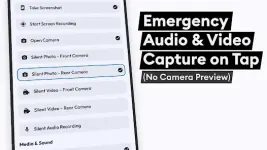
- Capture: Instant Audio Recording and Camera shortcuts (Front/Back capture without preview).
- Navigation Tools: "Scroll to Top" and "Scroll to Bottom" functionality for long feeds/webpages.
- Utilities: QR/Barcode scanner and Calculator launch.
- App Shortcuts: Pin favorite apps or display recent/frequently used applications.
- Communication: Speed dial for designated favorite or emergency contacts.
Accessibility Service API Disclosure
Action Dot utilizes the Android Accessibility Service API for the following technical requirements:- Displaying the floating overlay (dot/quick ball) above other active applications.
- Executing system-level commands including Home, Back, and Recent Apps navigation.
- Expanding the notification shade and quick settings panels.
Key Technical Advantages
- Battery Optimization: Configured for minimal background resource consumption.
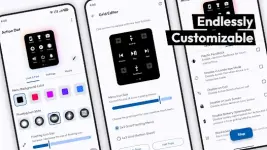
- Interface Customization: Adjustable menu size, position, and action mapping.
- Multi-Tasking: Overlay-based access to system tools without exiting current applications.