 PH
PH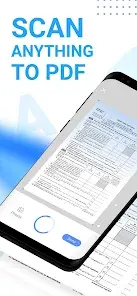

Mobile Scanner: All-in-One Document Processing
Mobile Scanner is a comprehensive utility designed to convert physical documents, notes, and images into digital formats. The application utilizes OCR technology for text extraction and offers advanced image processing to ensure high-quality digital outputs.Technical Specifications
| Category | Requirement / Detail |
|---|---|
| Compatibility | Android 9 and up |
| Architectures | arm64-v8a, armeabi-v7a |
| Supported Languages | ar, de, en, es, fr, it, ja, ko, nl, pt, ro, ru, sl, zh, zh-CN, zh-TW |
| Version Info | 2022 Build |
| Mod Status | VIP Features Unlocked; Debug Info Removed |
Core Functional Features
Scanning and Batch Processing- Multi-Format Export: Supports PDF, Word, and JPEG.
- Versatile Inputs: Capable of processing receipts, business cards, contracts, and books.
- Batch Mode: Consolidates multiple scans into a single PDF file.
- Automated Tools: Features automatic border detection and cropping.
- Post-Processing: Tools for rotation, color adjustment, and resizing.
- Cleanup: Functions to remove stains, marks, creases, and handwriting.
- Annotation: Supports manual signatures and digital signature overlays.
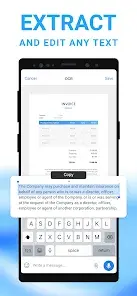
- Optical Character Recognition: Built-in technology to identify and extract text from scans.
- Editing: Full text-editing capabilities within the app.
- Export: Option to save extracted text as TXT files or searchable PDFs.
- Organization: Custom folder structures with drag-and-drop reordering.
- Cloud Integration: Native support for Dropbox, Google Drive, and OneDrive.
- Distribution: Direct email attachment and wireless printing of invoices/contracts.
- Privacy: Password protection for individual documents and secure folders.