 PH
PH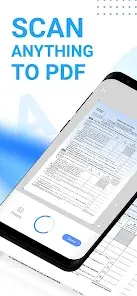

Mobile Scanner: All-in-One Digital Office Solution
Mobile Scanner is a high-performance scanning utility designed to convert physical documents, notes, and images into high-quality digital formats. The application integrates OCR technology and advanced image processing to facilitate professional document management.Technical Specifications
| Category | Details |
|---|---|
| App Name | Mobile Scanner App - Scan PDF |
| Version | v2.14.0 |
| Build | 141 |
| Licensing | Premium / ρáíd Features Unlocked |
| Optimization | Debug code removed; .source attributes stripped |
Core Feature Set
Scanning & Optimization- High-Precision Capture: Supports receipts, business cards, contracts, and books.
- Batch Processing: Capture multiple pages and merge them into a single PDF.
- Smart Automation: Automatic border detection and edge cropping.
- Image Enhancement: Tools for rotation, color adjustment, and resizing.
- Artifact Removal: Erases stains, creases, marks, and handwriting.
- Advanced Filtering: Picture processing filters for document clarity.
- Digital Signatures: Supports manual signing and saved signature overlays.
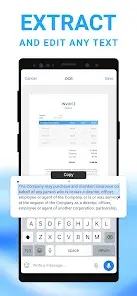
- Optical Character Recognition: Built-in technology to recognize and extract text from scans.
- Editing & Export: Real-time text editing and export capabilities to TXT format.
- Searchable Outputs: Generation of searchable PDF files.
- Organization: Custom folder structures with drag-and-drop reordering.
- Cloud Integration: Native support for Dropbox, Google Drive, and OneDrive.
- Distribution: Direct email attachments and integrated PDF printing for invoices/contracts.
- Data Protection: Password-encrypted locking for confidential documents, bank cards, and tax records.
Output Formats
| Format | Description |
|---|---|
| Standard and searchable document formats | |
| JPEG | High-resolution image exports |
| Word | Document-based text output |
| TXT | Raw text extraction via OCR |