 PH
PHHow to Use GSMPhil (Step-by-Step Tutorial)
 Tip: Use a valid email to receive updates and order status.
Before placing any order, you need balance.
 Note: Processing fees may apply depending on the payment method.
 Important: Always check requirements before placing an order.
 You’ll receive updates once the order is finished.
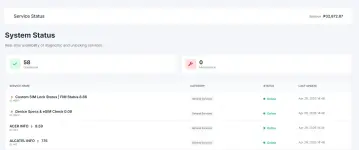
 1. Create an Account (You do not have permission to view the full content of this post.
Log in or register now.)
1. Create an Account (You do not have permission to view the full content of this post.
Log in or register now.)
- Go to GSMPhil
- Click Register / Sign Up
- Fill in:
- Email address
- Username
- Password
Tip: Use a valid email to receive updates and order status. 2. Add Funds to Your Wallet
Before placing any order, you need balance.- Login to your account
- Navigate to Wallet / Add Funds
- Choose a payment method
- Enter the amount and confirm
Note: Processing fees may apply depending on the payment method. 3. Select a Service
- Go to Services / Order Page
- Choose the service you need (e.g., IMEI service, unlocking, etc.)
- Read the description carefully
Important: Always check requirements before placing an order. 4. Submit an Order
- Enter the required details:
- IMEI number
- Device model
- Additional info (if needed)
- Double-check all information
- Click Submit Order
 Incorrect details may cause delays or failed orders.
 5. Track Your Order
- Go to My Orders / Dashboard
- View your order status:
- Pending
- Processing
- Completed
- Rejected
You’ll receive updates once the order is finished. 6. Get Your Result
- Once completed, results will appear in your Order History
- Copy or download the result as needed
 7. Need Help?
- Use the Support / Ticket System
- Provide:
- Order ID
- Clear description of the issue
Important Reminders
- Double-check IMEI and details before submitting
- No refunds for incorrect submissions (unless stated)
- Processing times may vary per service
- Always follow service instructions