PH
PHGrab while it's FREE! 
You do not have permission to view the full content of this post.
Log in or register now.
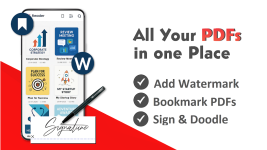
PDF Reader & Editor (PRO) is designed for users who want a fast, reliable, and comprehensive PDF solution without the bloat of heavy desktop‑style suites. The app automatically scans your device and neatly organises all PDF files into a clean, scrollable list, making it easy to locate documents instantly. Built for productivity, it supports pinch‑to‑zoom, bookmarks, text search, dark mode, colour inversion, and file sorting by name, date, or size—ensuring a smooth reading experience whether you’re reviewing reports, e‑books, or scanned documents.
Where the PRO version stands out is its robust editing toolkit. You can add text, insert images, highlight passages, underline or strike through content, draw freehand annotations, and apply e‑signatures directly on the page. The app also supports watermarking, making it suitable for professional document handling. These tools are designed to be intuitive, allowing even casual users to edit PDFs with confidence.
Its advanced PDF management features elevate it beyond a simple viewer. Users can merge multiple PDFs, split large files, extract text, compress documents to reduce file size, reorder or delete pages, rename files, and print directly from their device. For privacy‑focused users, the app includes password protection, ensuring sensitive documents remain secure. Quick‑access shortcuts and a “recent files” section streamline workflow for frequent PDF users.
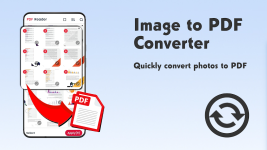
The app’s image‑to‑PDF converter is particularly useful for turning photos, receipts, notes, or scanned pages into clean, shareable PDF documents. Combined with one‑tap sharing, it becomes a practical tool for students, professionals, and anyone managing paperwork digitally.
Despite its extensive capabilities, PDF Reader & Editor (PRO) remains lightweight, stable, and optimised for smooth performance—even on older Android devices. It requires the MANAGEEXTERNALSTORAGE permission on Android 11+ to enable full file access, but the developer states that data remains private and is not shared with third parties. The app is regularly updated, with the latest version (2.0.7) released in February 2026, maintaining its reliability and feature set.
With a 5.0‑star rating from hundreds of reviews and a one‑time purchase model, it offers strong value for users seeking a professional‑grade PDF solution without subscriptions or ads. Whether you need a daily PDF reader, a mobile editing suite, or a complete document‑management tool, PDF Reader & Editor (PRO) delivers a polished, all‑in‑one experience.