PH
PHGrab while it's FREE! 
You do not have permission to view the full content of this post.
Log in or register now.
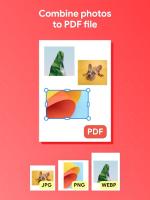
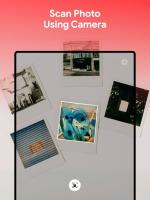
Image to PDF - JPG to PDF is the most reliable picture to PDF converter. It supports almost any image formats, from JPEG to PNG, HEIC, WEBP, BMP, GIF, TIFF... and can quickly convert photo to PDF in seconds.
With Image to PDF, you can:
- Convert all kinds of picture to PDF
Not only does Image to PDF supports almost image formats, you can also import photos from different sources like Gallery, Files, or you can scan it right with your camera.
- Custom settings
Resize images or change the layout as you like. Merge photos into one page PDF with preset layout or you can customized it for the best PDF output.
- Compress PDF files
You can manually adjust compression level of the photos to reduce the overall PDF file size. Support resize image to send via Email.
- Offline working
Easily convert JPG to PDF or any photo formats to PDF without internet connection.
- Scan Photos to PDF
Simply capture or scan picture to turn photo to PDF. Access photos, making adjustment or delete it easily with this portable picture to PDF converter.
- Save, share and print PDF files
Save and share the converted file in one click. Supported connection to nearby printer.
Convert photo to PDF file with ease an quick with Image to PDF - JPG to PDF. With intuitive UI and friendly, easy-to-use design, our purpose is to bring a smooth and pleasant experience to the users our app. The powerful features ensure that you will have no difficulty in converting picture to PDF.
Give Image to PDF - JPG to PDF a try, we guarantee that you will have a great experience in converting photo to PDF! More wonderful features will be added in the future, so stay updated!