 PH
PH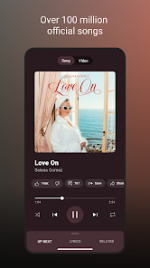
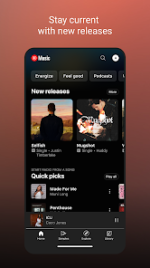
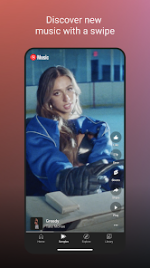
YouTube Music Morphe (v9.16.51)
YouTube Music Morphe is a modified version of the official YouTube Music application. It integrates advanced patches to enable premium features and custom optimizations for enhanced playback and UI control.Core Application Details
| Attribute | Specification |
|---|---|
| Base Version | YouTube Music v9.16.51 |
| ρá†ch Engine | Morphe mpp v1.25.0-dev.3 |
| Package Name | app.morphe.android.apps.youtube.music |
| Architectures | arm64-v8a, armeabi-v7a |
| DPI Support | 120dpi, 160dpi, 240dpi, 320dpi, 480dpi, 640dpi |
| Android Req. | 8.0+ |
| Variant | Non-Root (Requires GmsCore/MicroG) |
Key Features & Applied Patches
Playback & Audio
- Ad-Free Experience: Removes music video ads and audio interruptions.
- Background Play: Enables playback while the screen is locked or while using other applications.
- Audio Optimizations: Includes "Disable DRC audio," "Force original audio," and "Enable exclusive audio playback."
- Streaming Fixes: "Spoof video streams" and "Disable QUIC protocol" to prevent playback issues.
- Permanent Repeat: Forces repeat mode persistence.
Interface & Customization
- Morphe Settings: Dedicated menu for App Icon and App Name customization (Original vs. Morphe).
- Miniplayer Enhancements: Forced miniplayer support, custom coloring, and added Previous/Next navigation buttons.
- UI Cleanup: Options to hide the category bar, specific buttons, and navigation bar elements.
- SponsorBlock & RYD: Integrated support for skipping sponsored segments and viewing dislike counts.
System & Integration
- GmsCore Support: Compatibility for Google account login on non-rooted devices.
- Sanitize Sharing Links: Removes tracking parameters from shared URLs.
- Bypass Certificate Checks: Modified security protocols for ρá†ch stability.
Technical ρá†ch List (mpp v1.25.0-dev.3)
| Category | Applied Patches |
|---|---|
| System | Bypass certificate checks, Change package name, GmsCore support, Enable debugging |
| Visuals | Custom branding, Change miniplayer color, Change start page, Theme, Hide category bar |
| Functionality | Remove background playback restrictions, Permanent repeat, Sanitize sharing links |
| Network | Disable QUIC protocol, Spoof video streams, Check watch history domain resolution |
| Audio | Disable DRC audio, Force original audio, Enable exclusive audio playback |
Important Notes
- Playback Issues: If playback errors occur, navigate to Settings > Morphe > Miscellaneous and enable Spoof video streams. Users can also manually select a different "Default client" from this menu.
- Customization: App icon and name toggles are located under Settings > Morphe > General.
- Known Limitations: Track crossfade is currently unavailable for YouTube Music 9.x builds.
- Requirements: As a Non-Root variant, GmsCore (MicroG) must be installed prior to the application for account synchronization.