 PH
PH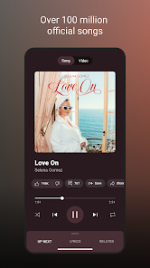
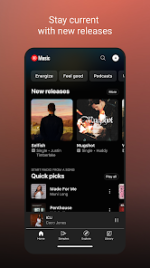
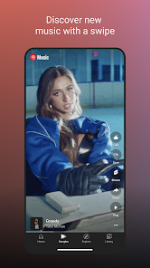
YouTube Music Morphe (v9.17.51)
YouTube Music Morphe is a modified version of the YouTube Music application. It integrates Premium features and advanced technical patches for enhanced functionality and ad-free listening.Application Specifications
| Attribute | Details |
|---|---|
| Base Version | YouTube Music v9.17.51 |
| ρá†ch Engine | Morphe mpp v1.25.0 |
| Package Name | app.morphe.android.apps.youtube.music |
| Architecture | arm64-v8a, armeabi-v7a |
| Supported DPI | 120dpi, 160dpi, 240dpi, 320dpi, 480dpi, 640dpi |
| Android Req. | 8.0+ |
| Languages | Full Multi-Language Support |
Key Features
- Ad-Free Playback: Complete removal of audio and video advertisements, including home feed and fullscreen ads.
- Background Play: Unrestricted playback when the screen is locked or while using other applications.
- Integrated Components: Includes Return YouTube Dislike (RYD) and SponsorBlock.
- Advanced Audio: Includes options for exclusive audio playback, forced original audio, and DRC audio disabling.
- Customization: Options for custom branding, theme modifications, miniplayer color changes, and start page selection.
ρá†ch Log & Technical Details
- mpp v1.25.0 Updates:
- Experimental support for YouTube Music 9.17.51.
- Fixed issue where the home feed failed to load when "Hide fullscreen ads" was enabled (0208916).
- Applied Patches: Bypass certificate checks, Change package name, GmsCore support, Disable QUIC protocol, Sanitize sharing links, Spoof video streams, and Permanent repeat.
- Note: Track crossfade is currently unavailable for YouTube Music 9.x versions.
Installation Instructions (Non-Root)
- Install the required MicroG Services (GMSCore).
- Install the YouTube Music Morphe APK.
- Launch the application and log in to your Google account.
Important Configuration
To resolve potential playback issues, navigate to: Settings > Morphe > Miscellaneous > Enable "Spoof video streams". You may also select a "Default client" from the spoofing list if necessary. For visual adjustments, go to Settings > Morphe > General to toggle between Original and Morphe icons/names.Main link: Download Mirror link1: Download ➠ Notes | arm64-v8a download link: Download MicroG RE (GmsCore Redesign) v6.1.4 255034004 [by WSTxda] download link: Download