 PH
PH
Cast to TV by Castify v12.294 (Build 10294) [Pro]
Castify is a cross-platform streaming application designed to cast multimedia content from mobile devices to various receivers, including Chromecast, Roku, Fire TV, and Smart TVs. It supports direct casting from web browsers, local storage, and IPTV providers.App Specifications
| Category | Details |
|---|---|
| Version | 12.294 (Build 10294) |
| Android OS | 7.1+ |
| SDK Update | Android 15 |
| Features | Pro / Premium Unlocked |
Supported Streaming Devices
- Google: Chromecast (1, 2, Ultra HD 4K), Google Cast receivers, Android TV.
- Roku: Premiere, E×ρréšš, Streaming Stick, Roku TV.
- Amazon: Fire TV, Fire Stick.
- Gaming Consoles: Xbox One, Xbox 360, PlayStation 4 (via Browser).
- Smart TVs: LG (WebOS, Netcast), Samsung (Tizen), TCL, Phillips, Sony Bravia, Sharp, Panasonic, and other DLNA-enabled models.
- Others: DLNA receivers, Apple TV (AirPlay), and any standard Web Browser (Chrome, Firefox, Silk).
Core Features
- AI Integration: AI Subtitle Generation and AI Subtitle Translation.
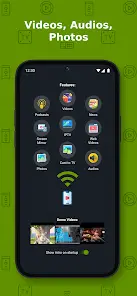
- Casting Capabilities: Web videos, local phone files, music, photos, and podcasts.
- Screen Mirroring: Available for compatible newer Android devices.
- IPTV: Support for m3u playlists and URLs.
- Browser Tools: Built-in web browser, popup blocker (per website), and bookmarks management (folders/reordering).
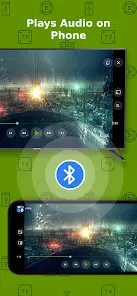
- Playback Options: Picture-in-Picture (PiP) mode and "Play Audio on Phone" while casting.
- Remote Control: Dedicated Roku remote and channel management.
Technical Data & Formats
| Type | Supported Formats / Sources |
|---|---|
| Video | MP4, MKV, HTML5, HLS Live Streaming, 4K/HD (where available) |
| Audio | MP3, Podcasts |
| Images | JPG, PNG, Slideshows |
| Sources | Phone Files, IPTV (m3u), DLNA Servers, SMB, Samba, NAS, LAN |
Device-Specific Limitations
- Apple TV AirPlay: Battery Optimization must be disabled (Android 6.0+). Does not support local audio/photo casting or MKV files.
- Subtitles: Support is limited to Chromecast and Roku devices.
- Fire TV: Incompatibility with certain video/movie formats.
- General: Proprietary video formats and Flash-based websites are not supported.
Troubleshooting & Performance
- Network: Devices must be on the same stable Wi-Fi network.
- Stability: Connection issues are typically related to ISP bandwidth, source website hosting, or Wi-Fi signal strength. Restarting the receiver or mobile device is recommended for most errors.
- Content Handling: The app acts as a relay for the original source URL; it does not host content or modify video sources.