 PH
PH
App Overview: Cast to TV, Chromecast & Roku
Cast to TV is a media streaming application designed to cast online and local content-including videos, music, and images-from Android devices to various receivers.Technical Specifications
| Category | Details |
| Version | 2.4.8.1 (Build 248101) |
| Android OS | 7.0+ |
| Architecture | arm64-v8a, armeabi-v7a |
| Screen DPI | 160dpi, 240dpi, 320dpi, 480dpi, 640dpi |
| Languages | Full Multi Languages |
| Mod Status | Premium Activated; Debug code removed |
Supported Devices
- Chromecast: Support for web videos and local media.
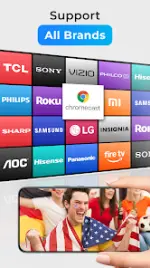
- Smart TVs: Samsung, LG, Sony, Hisense, Xiaomi, Panasonic, etc.
- Gaming Consoles: Xbox One and Xbox 360.
- Streaming Sticks: Amazon Fire TV, Fire Stick, Roku Stick, Roku TVs.
- Apple Ecosystem: Apple TV via Airplay.
- Other: DLNA receivers.
- Planned Support: Kodi, IPTV.
Core Features
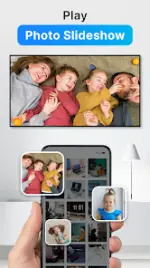
- Media Management: Automatic identification of video, audio, and photo files on internal storage and SD cards.
- Playback Control: Phone-based remote functionality (pause, volume, seek, skip).
- Queue Management: Add local video and audio to a Play Queue with shuffle, loop, and repeat modes.
- Integrated Browser: Built-in web browser for casting online video content directly.
- Device Discovery: Automatic searching for available casting and streaming devices on the local Wi-Fi network.
Recent Updates (v2.4.8.1)
- Implementation of Dark Mode support.
- General bug fixes and performance optimizations.
Usage Requirements
- Network: Mobile device and streaming receiver must be connected to the same Wi-Fi network.
- Compatibility: Media formats must be supported by the specific streaming hardware.
- Troubleshooting: Rebooting the Wi-Fi router or streaming device is recommended if connection issues occur.
Disclaimer
Chromecast is a trademark of Google LLC. This application is not affiliated with or endorsed by Google, Roku, or other hardware brands.Download