 PH
PH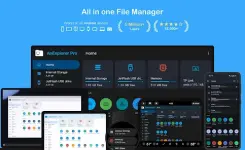
AnExplorer File Manager v6.0.1 (Pro)
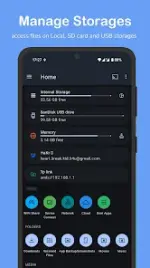
AnExplorer is a comprehensive file management solution featuring a Material You interface. It supports a wide range of storage types and hardware platforms, offering advanced file organization, network connectivity, and cross-device media streaming.Technical Specifications
| Category | Details |
|---|---|
| Version | 6.0.1 (Build 60101) |
| Android Requirement | 6.0+ |
| Architectures | arm64-v8a, armeabi-v7a, x86, x86_64 |
| Screen DPIs | 120dpi, 160dpi, 240dpi, 320dpi, 480dpi, 640dpi |
| File Systems | FAT32, NTFS (SD cards, USB OTG, Pen Drives) |
Key Functional Modules
Core Management & Editing
- File Organizer: Supports standard operations (copy, move, rename, delete, compress/extract) with search filters by type, size, or date. Displays folder sizes across all storage types.
- Media Center: Integrated photo viewer (metadata support, slideshow), music player (MP3, audiobooks), and video player with background playback and playlist management.
- Document Tools: Archive viewer (ZIP, RAR, TAR, 7z), text editor (HTML, TXT), and PDF viewer with search and night mode.
- App Manager: Supports installation of APK, APKM, APKS, and XAPK files. Features batch uninstallation and APK backup.
Connectivity & Network
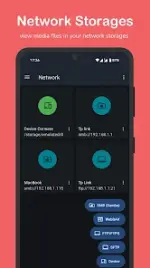
- Network Protocols: Connect via FTP, FTPS, SMB, and WebDAV. Supports NAS and shared folder streaming.
- Cloud Integration: Manage Box, Dropbox, OneDrive, Google Drive, Yandex Disk, PCloud, and Mega.
- WiFi Share & Device Connect: Offline wireless file transfer between Android devices. Includes a built-in server to access files via a web browser using an IP address.
- Cast Support: Stream media directly to Chromecast, Android TV, and Google Home.
Specialized Platform Support
- TV & Watch: Full storage access for Wear OS and Android TV (Google TV, NVIDIA Shield). Support for remote file management and transfers.
- VR / XR / AR: Optimized for Meta Quest, HTC Vive, XREAL, and Rokid. Facilitates APK sideloading and management of spatial media.
- Automotive: Compatible with Android Auto and Android Automotive OS (AAOS) for managing USB drives and internal storage.
- Desktop: Desktop-optimized UI for Chromebooks and Android Desktop modes.
Advanced Features
- Root Explorer: Access to root partitions, including /data and /cache folders for development purposes.
- Social Media Manager: Categorized cleaning and organization of media from social applications.
Version 6.0.1 Changelog
- Enhanced Cloud Storage: Added support for Google Drive, Yandex Disk, PCloud, and Mega.
- Wear OS Updates: Added Cloud Storage support for watches.
- PDF Viewer: Implemented password protection support.
- APK Installer: Improved installer engine and added Remote APK Installation.
- Fixes: General bug fixes and performance optimizations.
Modification Details
- Pro/Premium features unlocked.
- Debug code and .source attributes removed.
 Key features | arm64-v8a download link:
Download
Key features | arm64-v8a download link:
Download