 PH
PH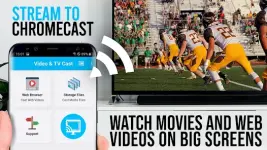
App Overview: Video & TV Cast for Chromecast (Premium Mod)
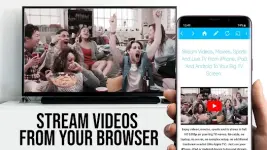
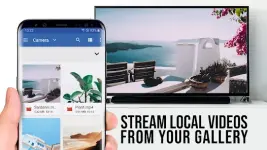
Video & TV Cast is a browser-based utility designed to stream web-based videos, IPTV, and live broadcasts from an Android device to Chromecast and Google Cast/Android TV powered hardware. The application isolates video links from websites to facilitate Full HD playback on external displays.Technical Specifications
| Category | Details |
|---|---|
| Version | v2.77 |
| Required OS | Android 7.0 and up |
| Architecture | armeabi-v7a, arm64-v8a |
| Supported Protocols | MP4, M3U8, HLS, HTTPS |
| Hardware Compatibility | Google Chromecast, Google Cast, Android TV |
Core Functionality
- Integrated Web Browser: Navigate directly to video sources; the app automatically detects embedded video links.
- Direct URL Playback: Support for manual entry of direct video URLs (MP4, M3U8, etc.) via the address bar.
- Security Focus: Requires minimal Android permissions. Does not access identity data, accounts, device ID, GPS, or contacts.
- Independent Streaming: The app functions by pushing the video URL to the Chromecast rather than mirroring the entire device screen.
Compatibility Limitations
| Supported Content | Non-Supported Content (DRM/Flash) |
|---|---|
| Web Videos & Online Movies | Flash Video |
| IPTV & M3U8 Playlists | Google Play Movies |
| Live TV Streams | Netflix / Amazon Prime / HBO |
| Full HD (1080p) Content | DRM Protected Content |
Mod Features (TRUMods)
- Premium Unlocked: All premium features enabled.
- Optimization: Removed redundant files and debug codes for a cleaner build.
- Stability: General bugfixes and performance improvements included.
Troubleshooting & Usage Tips
- Detection: If a link is not detected immediately, play the video locally within the browser or enter full-screen mode to trigger discovery.
- Connection: If the cast icon remains inactive, a restart of the Android device, Chromecast, and Wi-Fi router is recommended.
- Direct Casting: Once the link appears below the browser interface, tap "Tap here to cast" to initiate the stream.
Disclaimer: This application is not affiliated with Google LLC. Chromecast is a trademark of Google LLC.
Main link: Download Mirror link1: Download