 PH
PH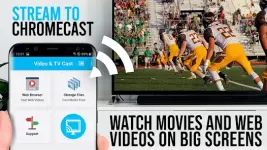
Video & TV Cast for Chromecast v2.75 [Premium]
Technical Specifications
| Category | Requirement / Detail |
| Android Version | 7.0 and up |
| Architecture | armeabi-v7a, arm64-v8a |
| Compatibility | Google Chromecast, Google Cast, and Android TV powered devices |
| Supported Formats | Mp4, m3u8, HLS livestreams, video over HTTPS, Full HD |
Core Functionality
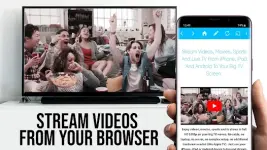
Video & TV Cast enables the streaming of web-based content directly to Chromecast devices. Users can browse websites via the integrated browser and cast discovered video links. The application functions by pushing the specific video URL to the receiver device rather than mirroring the entire Android screen.Feature Support and Constraints
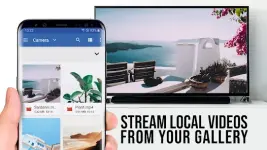
- Supported Content: Web videos, online movies, IPTV, and live TV shows.
- Non-Supported Content: Flash video, Google Play Movies, Netflix, Amazon Prime, HBO, and other DRM-protected content.
- Local Playback: Some encrypted or hidden streams may require local playback on the Android device before the cast link is detected.
- Direct Playback: Users can manually enter or paste direct video URLs (mp4, m3u8) into the address bar for immediate casting.
Mod Features
- Premium Unlocked: All premium features accessible.
- Optimized: Removed unnecessary files and debug codes.
- Enhancements: General bugfixes and performance improvements.
- Stability: Cleaned build by TRUMods.
Security and Permissions
The application is designed with a minimal permission footprint. It does not access:- Identity data or account information
- Device ID or phone status
- GPS location
- Contacts
Quick Start Guide
- Initialization: Wait for the menu bar icon to transition from red to white, indicating Chromecast detection.
- Navigation: Use the browser to search for video content or use the "pen" icon to enter a direct URL.
- Detection: Wait for the detected video link (mp4, m3u8, etc.) to appear below the browser. If a link does not appear, play the video locally in fullscreen mode.
- Casting: Select "Tap here to cast" to begin playback on the external display. Use the cast icon in the menu bar to terminate the session.
Troubleshooting
- Connection Issues: Restart the Android device, Chromecast, and Wi-Fi router if the device is not detected.
- Link Detection: If "No videolink found" persists, ensure the video is playing in the mobile browser first.
- Compatibility Check: Use the base version to verify website compatibility before utilizing premium features.