 PH
PH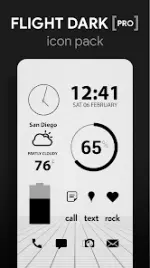
Flight Dark Pro - Icon Pack v3.8.5
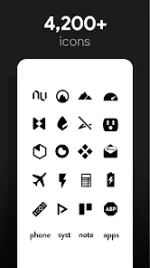
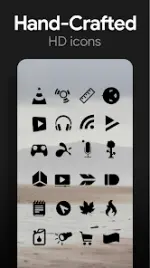
Flight Dark Pro is a minimalist, flat, dark black icon pack featuring transparent elements designed to blend with system backgrounds. The pack includes handmade high-definition icons and a collection of scenic cloud and landscape wallpapers optimized for dark aesthetics.App Specifications
| Feature | Details |
|---|---|
| Version | 3.8.5 [Patched] |
| Android Compatibility | 6.0 and up |
| Icon Resolution | XXXHDPI (192x192) |
| Total Icons | 4,000+ |
| Total Wallpapers | 200+ (Cloud-based) |
Core Features
- Handcrafted Design: Over 4,000 clean, flat black HD icons with multiple variations for system apps (Phone, Contacts, Camera).
- Transparency: Integrated transparent sections in icon designs to showcase underlying wallpaper textures.
- Wallpaper Library: 200+ cloud-hosted scenic sky and landscape wallpapers specifically edited for high contrast with dark icons.
- Muzei Support: Full compatibility for rotating wallpaper configurations.
- Icon Requests: Dedicated "Request" tab for user-submitted icon designs.
- Widget Suite: Includes system widgets and editable KWGT-compatible widgets:
- Battery monitors
- Digital and Analog clocks
- Weather displays
Compatible Launchers
The pack requires a third-party launcher for application. Nova Launcher is recommended for full feature support, including icon name search.| Integration Method | Supported Launchers |
|---|---|
| Direct Apply (App UI) | Nova, Action, Apex, Atom, Aviate, Go, Holo, Inspire, KK, Lucid, Next, Nine, Poco, Smart, Solo, Themer, TSF |
| Manual Apply (Launcher Settings) | Microsoft Launcher, Evie Launcher, Yandex Launcher, ADW Launcher |
Technical Procedures
Manual Icon Editing Long-press any individual icon on the home screen to access the manual edit menu.Applying via Icon Pack
- Launch Flight Dark Pro.
- Navigate to the Apply tab.
- Select the active launcher.
- Long-press an empty area on the home screen.
- Access Personalization or Launcher Settings.
- Locate the Icon Pack selection and choose Flight Dark Pro.
Version Updates
- v3.8.5: Added 115 new icons to the Pro library.