 PH
PH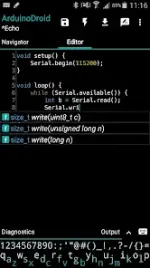
ArduinoDroid - Arduino/ESP IDE v8.0.3
ArduinoDroid is an offline integrated development environment (IDE) for Android that enables writing, compiling, and uploading sketches to Arduino and ESP boards via USB or WiFi.Technical Specifications
| Category | Details |
|---|---|
| Version | v8.0.3 (Build 8007) |
| Android Requirement | 8.0+ |
| Architecture | arm64 |
| File Size | 33.7 MB |
| SHA-256 | 6bb811d688179021439608bd28dece96e5171503ddea36e303dd994b1e510b1f |
| License | Premium (3rd-party independent developer) |
Supported Hardware
- ESP Series: ESP8266, ESP32, ESP32S3, ESP32C3.
- Arduino Series: Uno/Uno_r3, Duemilanove, Nano, Mega 2560, Leonardo, Micro/Pro Micro, Pro, Pro Mini, Yun, Esplora, Robot Control, Robot Motor.
- Connectivity: USB (requires USB-host support) and WiFi (OTA for ESP8266/ESP32).
Key Features
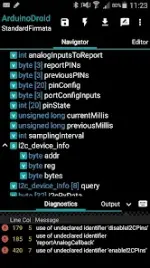
- Development Tools: Code syntax highlighting (themes support), code completion, real-time diagnostics (errors/warnings), and file navigator.
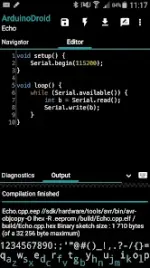
- Compiler/Uploader: On-device compilation (no root required) and uploading via USB or WiFi.
- Libraries: Includes example sketches and standard libraries.
- Offline Functionality: No internet connection or cloud account required (Note: ESP SDKs download on first selection).
- Integration: Dropbox and Google Drive support.
- UI: Material design and built-in software keyboard.
- Monitoring: Integrated serial monitor.
Installation Instructions (Split APK)
- Install the SAI (Split APK Installer) application.
- Download the .apks archive for ArduinoDroid.
- Open SAI and select Install APKs.
- Locate and select the downloaded .apks archive to complete installation.
Recent Updates (v8.0.3)
- Implemented fix for immediate application crashes.
Note: Arduino is a trademark of the Arduino team. This is an independent 3rd-party application.
Main link: Download Mirror link1: Download