 PH
PHCarlos2026
Contributor
n-Track Studio Suite turns your PC into an easy-to-use multitrack audio recording studio. It is the perfect tool for professional-quality audio recording, encoding, mixing, and editing. Record, edit, overdub your audio tracks, apply effects, process audio live input, mix, and then burn audio CDs, or create MP3 files.
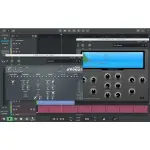
- Records and plays back a virtually unlimited number of audio and MIDI tracks
- DirectX, VST, and ReWire effects can be added to each channel/track
- Built-in effects include Reverb, Compression, Parametric and Graphic EQ, Echo, Auto-volume, Pitch Shift, Chorus, Multiband Compression, and Spectrum analyser
- Supports 16 and 24-bit single and multichannel soundcards at sampling frequencies up to 192 kHz using Asio, WaveRT, WDM, MME, and DirectSound
- It is compatible with multichannel ASIO, WaveRT, WDM, and MME audio drivers, which means that n-Track can work with almost any soundcard available today, with the lowest possible latency
- Supports VST Instruments and DirectX Instruments synth plug-ins. Sample-accurate MIDI tracks can be sent to VSTi/DXi software MIDI synths, without the need for expensive hardware MIDI synths.
- Adjust the effect settings and listen to the result in real time.
- Built-in effects include Reverb, Compression, Parametric and Graphic EQ, Echo, Auto-volume, Pitch Shift, Chorus, Multiband Compression, and Spectrum analyser.
- Supports third-party DirectX, VST 2.0, and ReWire plug-ins.
- Real-time audio effects can be added to each channel.
- Supports 16 and 24-bit single and multichannel soundcards at sampling frequencies up to 192 kHz using Asio, WaveRT, WDM, MME, and DirectSound.
- Input processing allows processing with plug-in live signals. Record the ‘dry’ (unprocessed) signal while processing and reprocessing the recording later – i.e. Play the guitar through a distortion plug-in then change the distortion after the recording!


n-Track Studio Suite
You do not have permission to view the full content of this post.
Log in or register now.
You do not have permission to view the full content of this post. Log in or register now.
Size: 397.7 MB
NOTE!!!
Enjoy while the links are active!!
I am not responsible for broken links!!
Happy downloading!!!!


You do not have permission to view the full content of this post. Log in or register now.
Size: 397.7 MB
NOTE!!!
Enjoy while the links are active!!
I am not responsible for broken links!!
Happy downloading!!!!