 PH
PH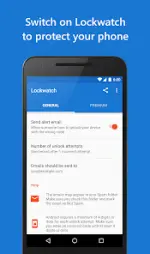
Lockwatch - Thief Catcher v8.3.2 (Premium)
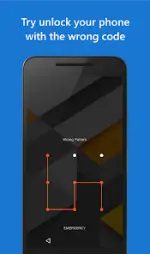
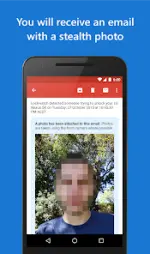
Lockwatch is a security application designed to identify unauthorized users by capturing a photo via the front-facing camera when an incorrect unlock code is entered. The app operates using Android's native lock screen and only triggers during failed unlock attempts to minimize battery consumption.Technical Specifications
| Detail | Specification |
|---|---|
| Version | 8.3.2 (Build 832) |
| Android Requirement | 8.1+ |
| Architecture | arm7 + arm64 |
| File Size | 6.2 MB |
| SHA-256 | a14a4159882a3e5164da070368a470b56f16ea36988da049d31eb6523de447f2 |
| Permissions | Device Administrator (Monitor screen unlock attempts) |
Core Functionality
- Intrusion Alerts: Secretly captures a photo and GPS location upon incorrect unlock attempts, delivered via email.
- SIM Swap Detection: Sends an email notification if the SIM card is replaced, including location, network provider, and phone number.
- Power-On Alerts: Notifies the owner when the device is powered on after being switched off in a locked state.
- Enhanced Capture: Takes multiple photos per attempt and records a 20-second audio clip of the surroundings.
- Offline Support: Stores alert data locally if no connectivity is available and transmits once a connection is established.
- Ad-Free: No advertisements within the interface.
Operating Notes
- Trigger Conditions: Alerts are only triggered if the input (PIN/Pattern) is at least four digits/nodes.
- False Positive Prevention: If the correct code is entered within 10 seconds of a failed attempt, the alert is automatically cancelled.
- Device Administrator Warning: Standard Android security prompts may warn of data erasure capabilities; however, Lockwatch does not contain code to wipe device data.
Changelog (v8.3.2)
- Improved photo capture reliability and image quality during intrusion alerts.
- Inclusion of the phone number in SIM swap alert emails.
- Added functionality to clear saved alerts from the History screen.