PH
PH FB Share Booster Tutorial Boost your Facebook post shares instantly!
  Requirements
 - Facebook Alt Account
- Cookie Editor Extension
- Browser: Chrome/Firefox/Kiwi (for mobile)
 Step-by-Step Guide
 Step 1 | Login to Facebook ➤ Use your alternative Facebook account ➤ Make sure you're fully logged in |
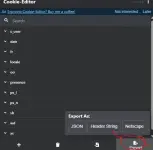
Step 2 | Get Cookie String ➤ Install Cookie Editor Extension ➤ Android users: Use Firefox or Kiwi Browser ➤ Copy the header string from the extension |
Step 3 | Copy Share Link ➤ Find the FB post you want to boost ➤ Click Share → Copy Link ➤ Save the link for next step |
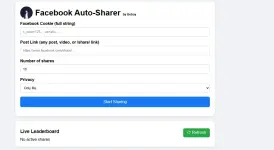
Step 4 | Access the Tool ➤ Visit the website below:  REACT TO REVEAL LINK You do not have permission to view the full content of this post.
Log in or register now. REACT TO REVEAL LINK You do not have permission to view the full content of this post.
Log in or register now. |
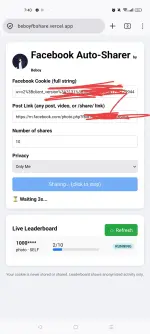
Step 5 | Boost Your Shares ➤ Paste your cookie string ➤ Paste the Facebook post link ➤ Enter desired number of shares ➤ Click submit and watch the magic!  |
 Pro Tips
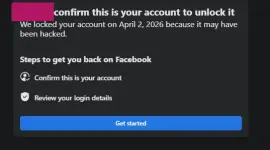
  Security: Always use alt accounts for cookies, never your main
 Disclaimer Use responsibly and at your own risk. This tool is for educational purposes only.