 PH
PH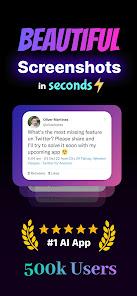
NexSnap: Professional Screenshot Editor & Snipping Tool
NexSnap is a comprehensive screenshot enhancement utility designed to convert raw screen captures into high-fidelity visuals. It functions as an all-in-one screenshotter and editor, providing tools for mockups, annotations, and branding.Technical Specifications
| Category | Details |
| Version | v1.4.6 b63 [Premium] |
| Compatibility | Android 7.0+ |
| Output | High-Resolution HD Export |
| Functional Role | Screenshot Maker, Snipping Tool, Page Capture |
Core Feature Set
Screenshot Editor & Stylization
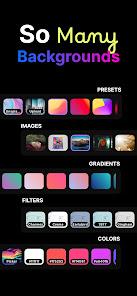
- Backgrounds: Support for 4K wallpapers, vibrant gradients, and solid colors.
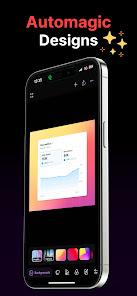
- Style Presets: 1-Click application of "Stacked" or "Clean" styles, including browser window framing.
- Advanced Layout: Adjustable padding, rounded corner radii, and 3D shadow depth effects.
- Aspect Ratios: Predefined cropping profiles for X (Twitter), LinkedIn, and other professional platforms.
Snipping & Annotation Tools
- Built-in Snip Tool: Vector-based additions including text, arrows, and highlight boxes.
- Step Markers: Sequential numbering for technical documentation and guides.
- Privacy Controls: Tools to edit or redact sensitive data within private screenshots before sharing.
- AI Enhancements: Automated polishing tools for optimized screen capture clarity.
Use Cases by Profile
| User Type | Application |
| Developers | UI/UX showcasing via professional screencap mockups. |
| Content Creators | Visual optimization for social media engagement. |
| Professionals | Integration of clean snip aesthetics into presentations and reports. |
Mod Features
- Premium Unlocked
- Full access to 1-Click Style Presets
- Advanced Professional Snipping Toolset
- Predefined Proportional Cropping
- High-Resolution Exporting without watermarks