 PH
PH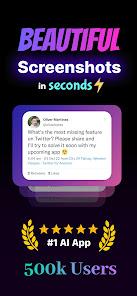
NexSnap: Professional Screenshot Editor & Snipping Tool
NexSnap is a comprehensive screenshot enhancement utility designed to transform raw screen captures into polished, professional-grade visuals. It combines a versatile screenshotter with advanced editing tools to create high-quality mockups and annotated images.Technical Specifications
| Category | Details |
| App Name | NexSnap |
| Version | v1.4.5 b61 [Premium] |
| Compatibility | Android 7.0+ |
| Primary Functions | Screenshot Maker, Snipping Tool, Page Capture, Mockup Editor |
| Export Quality | High-Resolution HD |
Core Functionality
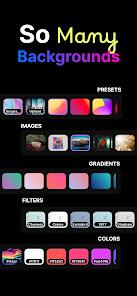
Editing & Aesthetics- Backgrounds: Support for 4K wallpapers, vibrant gradients, and solid color fills.
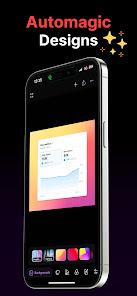
- Style Presets: 1-click applications including "Stacked," "Clean," and browser window framing.
- Advanced Layout: Adjustable padding, rounded corners, and 3D shadow effects for depth.
- Aspect Ratios: Predefined cropping for X (Twitter), LinkedIn, and other professional platforms.
- Markup Elements: Integration of text, arrows, and highlight boxes.
- Step Markers: Sequential markers for instructional documentation.
- Privacy Controls: Tools to redact or hide sensitive data before exporting (Secret Screenshot mode).
- AI Enhancements: Automated polishing tools for instant image refinement.
- Workflow Efficiency: Rapid alternative to desktop-class software like Snagit or Skitch for mobile environments.
Key Features & Use Cases
| Target User | Application |
| Developers | UI/UX showcasing and professional screencap mockups. |
| Content Creators | High-engagement social media screen captures and branding. |
| Professionals | Clean, annotated visuals for presentations and documentation. |
Mod Info
- Premium Features Unlocked
- Access to All Style Presets (Stacked, Clean, Browser Window)
- Professional Snipping Tool Suite
- Predefined Aspect Ratio Cropping
- Advanced Export Options