 PH
PH

Digital Deluxe Edition
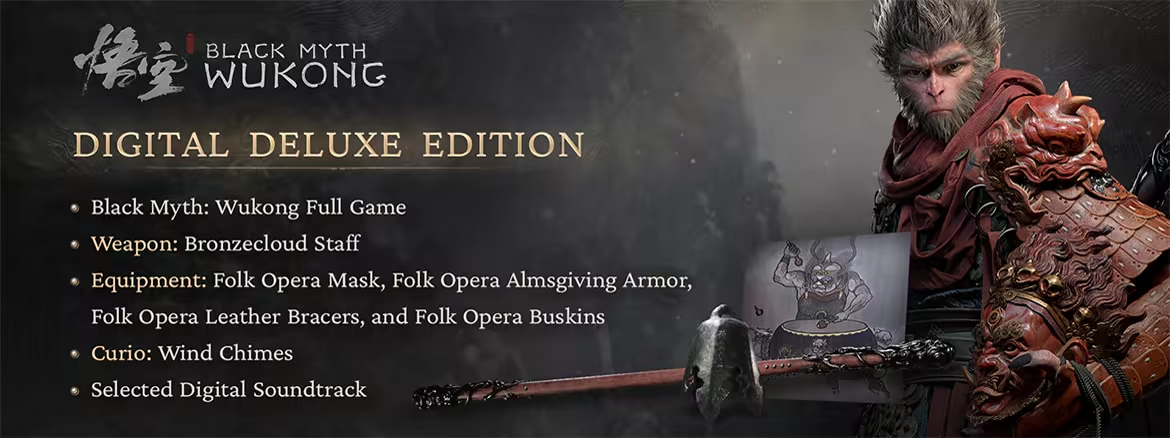
The Black Myth: Wukong Digital Deluxe Edition includes:
- Black Myth: Wukong Full Game
- Weapon: Bronzecloud Staff
- Equipment: Folk Opera Mask, Folk Opera Almsgiving Armor, Folk Opera Leather Bracers, and Folk Opera Buskins
- Curio: Wind Chimes
- Selected Digital Soundtrack
※ The included weapon, equipment, and curio can be claimed from the Trailblazer's Gift menu at the Keeper's Shrine (Respawn Point) during the early stages of the game.
※ By activating "Music Library" on the game's Title Screen, or downloading "Black Myth: Wukong Soundtrack Selection" through the platform, you can enjoy a curated list of tracks from the game. We highly recommend that you first experience these pieces as you journey through the game as the Destined One, then return here to relive them to your heart's content.
About This Game
Black Myth: Wukong is an action RPG rooted in Chinese mythology. The story is based on Journey to the West, one of the Four Great Classical Novels of Chinese literature. You shall set out as the Destined One to venture into the challenges and marvels ahead, to uncover the obscured truth beneath the veil of a glorious legend from the past.Release is using Hypervisor bypass by DenuvOwO team. Instructions:
1- install game
2- Educate yourself first by reading _Info.txt and DenuvOwO.nfo; CPU virtualization
must be enabled in BIOS (some motherboards have it enabled as default setting)
3- Start as Administrator "VBS.cmd" from game folder, press 1, restart computer,
then on the next boot press F7 when new window will show up (driver signature OFF)
4- Start from desktop icon
PS: Once you make it work, any other game with Hypervisor can be installed and played from
desktop icon (as long as you don't restart/shutdown PC - then again VBS.cmd > 1 > reboot >
F7 > desktop icon)
System Requirements
- Minimum:
- Requires a 64-bit processor and operating system
- OS: Windows 10 64-bit
- Processor: Intel Core i5-8400 / AMD Ryzen 5 1600
- Memory: 16 GB RAM
- Graphics: NVIDIA GeForce GTX 1060 6GB / AMD Radeon RX 580 8GB
- DirectX: Version 11
- Storage: 130 GB available space
- Sound Card: Windows Compatible Audio Device
- Additional Notes: HDD Supported, SSD Recommended. The above specifications were tested with DLSS/FSR/XeSS enabled.
- Recommended:
- Requires a 64-bit processor and operating system
- OS: Windows 10 64-bit
- Processor: Intel Core i7-9700 / AMD Ryzen 5 5500
- Memory: 16 GB RAM
- Graphics: NVIDIA GeForce RTX 2060 / AMD Radeon RX 5700 XT / INTEL Arc A750
- DirectX: Version 12
- Storage: 130 GB available space
- Sound Card: Windows Compatible Audio Device
- Additional Notes: SSD Required. The above specifications were tested with DLSS/FSR/XeSS enabled.
You do not have permission to view the full content of this post. Log in or register now.