 PH
PH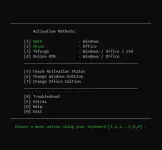
This method is the most convenient and works on Windows 8.1, 10, and 11.
- Click the Start Menu, type
PowerShell, and open it. - Copy and paste the code below and press Enter.
Code:
irm https://get.activated.win | iex- In the menu that appears, type the number corresponding to one of the Green options.
If the command is blocked:
Some ISPs block the URL. Use this command to bypass DNS blocks (Windows 10/11 only):
Code:
iex (curl.exe -s --doh-url https://1.1.1.1/dns-query https://get.activated.win | Out-String)If you are on an old build of Windows 8.1 or 10, run this command before the main command:
Code:
[Net.ServicePointManager]::SecurityProtocol=[Net.SecurityProtocolType]::Tls12note
- The
irmcommand in PowerShell downloads a script from a specified URL, and theiexcommand executes it. - Always double-check the URL before executing the command and verify the source is trustworthy when manually downloading files.
- Be cautious of third parties spreading malware disguised as MAS by altering the URL in the PowerShell command.
MAS Latest Release
Latest Release: v3.10 (28-Jan-2026)Features
- HWID (Digital License): Permanently activate Windows.
- Ohook: Permanently activate Office.
- TSforge: Permanently activate Windows, ESU, and Office.
- Online KMS: Activate Windows/Office for 180 days (Lifetime with renewal task).
- Advanced activation troubleshooting.
- $OEM$ folders for pre-activation.
- Change Windows edition.
- Change Office edition.
- Check Windows/Office activation status.
- Available in All-In-One and separate file versions.
- Fully open source and based on batch scripts.
- Fewer antivirus detections.
Activations Summary
[th]
[td]HWID[/td][td]Windows 10-11[/td][td]Permanent[/td][td]Yes[/td]
[td]Ohook[/td][td]Office[/td][td]Permanent[/td][td]No[/td]
[td]TSforge[/td][td]Windows / ESU / Office[/td][td]Permanent[/td][td]Yes, needed on build 26100 and later[/td]
[td]Online KMS[/td][td]Windows / Office[/td][td]180 Days (Lifetime with renewal task)[/td][td]Yes[/td]Activation Type
[/th][th]Supported Product
[/th][th]Activation Period
[/th][th]Is Internet Needed?
[/th]