 PH
PH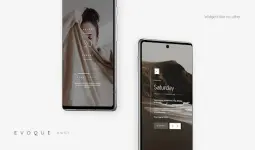
Evoque KWGT - Technical Overview
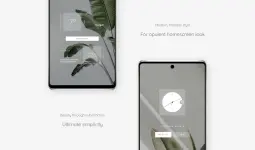
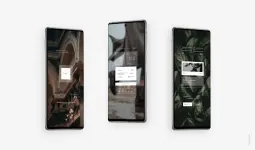
Evoque is a widget collection for Android centered on geometric design and minimalist typography, drawing inspiration from high-end architecture and automotive design.App Specifications
| Category | Details |
| Current Version | 9.6 |
| Android Requirement | 9.0 and up |
| Prerequisites | KWGT Pro (Play Store version) |
| Architecture | Universal |
| Language Support | Multi-language |
| Total Widgets | 168 |
Core Features
- Customization: Full color customization available for all presets via the Kustom interface.
- Data Integration: Real-time display of time, weather, date, and system info.
- Design Language: Minimalist aesthetic based on streamlined typography and geometric forms.
- UI Enhancements: Integrated scrollbar in the widget tab for efficient navigation.
Implementation Guide
- Install KWGT and KWGT Pro Key.
- Launch Evoque and select Load Preset from the sidebar.
- Select the desired widget and apply Save.
- Adjust scaling via the Layer tab in the KWGT editor if the widget dimensions do not align with the homescreen grid.
Version 9.6 Changelog
| Feature | Update Details |
| UI Quality | Overall optimization of the user interface. |
| Navigation | Added scrollbar functionality to the widget selection tab. |
| Library | Expanded total widget count to 168. |
| Build Status | Premium/Patched; Debug code and redundant files removed. |