 PH
PH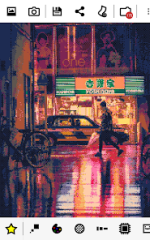
8Bit Photo Lab
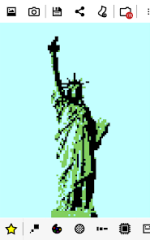
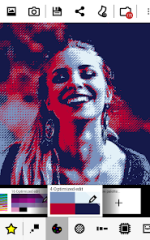
8Bit Photo Lab converts images from local storage or camera input into retro 8-bit pixel art. The application utilizes downsampling, color palette mapping, and dithering algorithms to simulate the aesthetic of vintage computing and gaming systems.Technical Specifications
| Category | Details |
| Android Version | 5.0+ |
| Architectures | arm64-v8a, armeabi-v7a, x86, x86_64 |
| Screen DPIs | 120dpi, 160dpi, 240dpi, 320dpi, 480dpi, 640dpi |
| Max Resolution | 4096 x 4096 (PNG) |
| Minimum Resolution | 8 x 8 |
Core Features
- Color Palettes: Over 50 presets including GameBoy, NES, Apple II, ZX Spectrum, Commodore 64, CGA, EGA, VGA (256 colors), and Amiga.
- Dithering Engines: 15 types including error diffusion, noise, pattern, and checkerboard.
- Post-Processing: Brightness, saturation, contrast, and local contrast (unsharp mask) adjustments.
- Glitch Suite: Screen melt, pixel scattering, pixel sorting, cellular automaton, block swapping, RGB offsetting, and interlacing.
- Output Styles: Alternatives to flat pixels such as fuse beads, bricks, puzzle, and painted effects.
- Additional Tools: 8-bit text tool with specialized fonts, stickers, grid overlays for craft planning, and multiple pixel aspect ratios.
Parameter Controls
| Parameter | Function |
| Resolution | Selectable range from 8 x 8 to 2048 x 2048. |
| Dithering | Simulates expanded color depth within limited palettes. |
| Local Contrast | Enhances subject definition at low resolutions; acts as soft focus when reduced. |
| Interpolation | Allows for custom color palette blending and duotone effects. |
| Cropping | Permits high-resolution downsampling of specific image segments. |
Pro Version Enhancements
- Expanded Assets: Additional ditherings, palettes (including custom), fonts, borders, and glitches.
- Advanced Output: Lossless PNG compression, 1:1 output resolution, and 4096 x 4096 maximum export.
- Optimization: 64 and 128 optimized palettes with improved color selection algorithms.
- Interface: Palette info bubbles describing historical hardware context.
Version History & Mod Info
- Recent Updates: Improved color selection algorithms for optimized palettes; Android 10 saving fix; 64/128 optimized palettes added.
- Modifications: Gold/ρáíd features unlocked; debug code removed;
.sourceattributes removed from Java files.