 PH
PH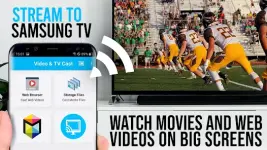
App Overview: Video & TV Cast for Samsung TV v2.66 [Premium]
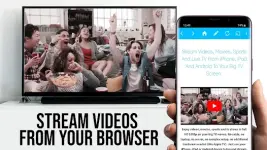
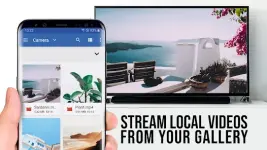
Video & TV Cast enables the streaming of web-based content directly from an Android device to Samsung Smart TVs and Blu-ray Players. The application identifies embedded video links within a browser and transmits the stream to the display without requiring external streaming hardware.Technical Specifications
| Category | Details |
| Version | 2.66 [Premium] |
| Android OS | 7.0 and up |
| Supported Architecture | armeabi-v7a, arm64-v8a |
| Supported Formats | MP4, M3U8, HLS livestreams, Video over HTTPS, Full HD |
| Device Compatibility | Samsung Smart TV (2010 C series to 2017 M/MU/Q series); Blu-ray Players with Smart Hub or VEWD (formerly Opera TV) |
Key Features & Functionality
- Direct Browser Casting: Browse websites and cast embedded videos with a single tap once the link is discovered below the browser.
- Direct URL Playback: Input or paste full video URLs (MP4, M3U8, etc.) directly into the address bar for playback.
- Security Focused: Minimal permission requirements; no access to identity data, accounts, device ID, GPS, or contacts.
- Mod Features: * Premium features unlocked.
- Debug codes and unnecessary files removed.
- Optimized for armeabi-v7a and arm64-v8a CPUs.
Compatibility & Constraints
- DRM Limitations: Does NOT support Flash video, Google Play Movies, Netflix, Amazon Prime Video, HBO, or other DRM-protected content.
- Not a Mirroring Tool: The app does not mirror the full Android interface; it only pushes the video element to the receiver.
- Requirement: Requires the installation of the free "TV Cast" companion app from the Samsung App Store or VEWD on the receiving device.
Setup & Troubleshooting
- Launch Receiver: Open the 'TV Cast' app in the Samsung Smart Hub/VEWD (Videos category).
- Connect: Open the Android app, tap 'Connect' to view the device IP address.
- Pair: Enter the Android device's IP address into the TV app using the remote.
- Cast: Navigate to a video and select "tap here to cast."
- If a link is not detected, play the video on the Android device first.
- For connection failures, restart the Android device, the Samsung TV/Blu-ray Player, and the Wi-Fi router.
- Verify site compatibility in the free version before upgrading, as technical failures at the site level cannot be resolved by the Premium version.
Disclaimer
This application is not affiliated with Samsung or any other trademarks mentioned. All modifications provided by TRUMods.Download