 PH
PH
App Overview: Video & TV Cast for Samsung TV
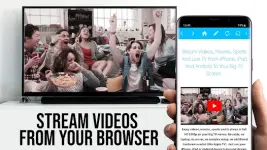
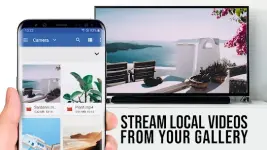
Video & TV Cast enables the streaming of web-based videos, online movies, and live streams from an Android device to Samsung Smart TVs and Blu-ray players. It supports high-definition content without the need for external hardware.Technical Specifications
| Category | Details |
| Version | 2.65 [Premium] |
| Android OS | 7.0 and up |
| Supported Architectures | armeabi-v7a, arm64-v8a |
| Supported Formats | MP4, M3U8, HLS livestreams, Video over HTTPS |
| Resolution Support | Full HD |
Compatibility
The application is compatible with the following hardware:- Samsung Smart TVs: Models from 2010 (C series) to 2017 (M/MU/Q series).
- Samsung Blu-ray Players: Units equipped with Smart Hub or VEWD (formerly Opera TV).
Functional Limitations
The following content types and features are not supported:- Flash video.
- DRM-protected content (Netflix, Google Play Movies, Amazon, HBO, etc.).
- Full device screen mirroring (app streams web video elements only).
Setup and Usage Guide
- Receiver Installation: Open the Samsung App Store on the TV/Blu-ray player. Locate and install the free 'TV Cast' companion app in the Videos category.
- Connection: Open the Android app and tap the connect button to obtain the device's IP address.
- Synchronization: Enter the Android device's IP address into the TV companion app using the remote control.
- Casting: Use the integrated browser to navigate to a video. Tap the detected video link at the bottom of the screen to initiate the stream.
Note: For direct file playback, paste the full video URL (e.g., .mp4 or .m3u8) directly into the browser address bar. If a link is not detected immediately, play the video on the Android device first.
Security and Privacy
The application requires minimal Android permissions for operation. It does not access:- Identity data or accounts.
- Device ID or phone status.
- GPS location.
- Contacts.
Troubleshooting
- Connection Issues: Restart the Android device, the Samsung TV/Blu-ray player, and the Wi-Fi router.
- Detection Failures: Test websites in the free edition before upgrading; if a video cannot be detected in the base version, the Premium upgrade will not resolve the specific compatibility issue.
Modification (Mod) Details
- Feature Status: Premium features unlocked.
- Optimization: Removed debug codes and unnecessary files.
- Modder: TRUMods
- Changelog: General bugfixes.
Disclaimer
This application is not affiliated with Samsung or any other trademarks mentioned in this description.Download