 PH
PH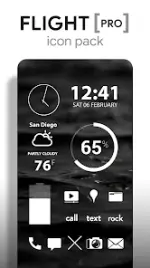
Flight Pro Icon Pack v3.8.0
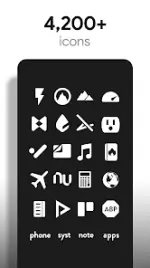
Flight Pro is a minimalist icon set featuring flat white aesthetics with integrated transparency. The package includes matching widgets for system monitoring and environmental data, alongside a curated collection of sky and landscape wallpapers designed to complement the icon style.Technical Specifications
| Category | Details |
| Version | v3.8.0 [b20260321] |
| Compatibility | Android 6.0 and up |
| Icon Resolution | 192x192 (XXXHDPI) |
| Total Icons | 3,700+ |
| Wallpapers | 200+ (Cloud-based) |
Key Features
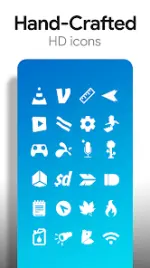
- Icon Design: Hand-crafted, flat white icons with transparent sections to blend with background textures.
- Wallpaper Library: Includes 200+ high-definition cloud, sky, and landscape images with Muzei support.
- Customization: Variations for system icons (Phone, Contacts, Camera) and an in-app icon request tool.
- Widgets: * System widgets for Battery, Digital Clock, Analog Clock, and Weather.
- Editable KWGT widget support with color, size, and font customization.
Supported Launchers
| Recommended | Also Compatible |
| Nova Launcher | Action, ADW, Apex, Atom, Aviate, Evie, Go, Holo, Inspire, KK, LG Home, Lucid, Next, Nine, Solo, Smart, Themer, TSF, Yandex |
Note: For stock launchers lacking native icon pack support, third-party utilities such as Awesome Icons or Unicon are required.
Installation Methods
Via Application- Launch the Flight Pro application.
- Navigate to the Apply tab.
- Select the active launcher from the list.
- Long-press an empty area on the home screen.
- Access Personalization or Look and Feel settings.
- Select Flight Pro from the icon pack menu.
Changelog (v3.8.0)
- Implemented new Dashboard interface.
- Added 65 new icons to the Pro version.
- Updated premium feature set and patched build stability.