 PH
PH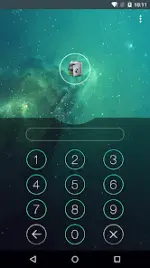

AppLock Technical Overview
AppLock is a privacy protection utility designed to secure applications, media, and system settings through various authentication methods, including PIN, pattern, and fingerprint biometrics.Specifications
| Category | Details |
| Android Version | 6.0 and up |
| Permissions | Device Administrator, Accessibility Service |
| CPUs | arm64-v8a, armeabi-v7a |
| Languages | Multilingual (AR, BN, CS, DA, DE, EN, ES, FI, FR, HI, IT, JA, KO, RU, ZH, etc.) |
| Mod Status | VIP Features Unlocked; Debug Info Removed |
Core Functionality
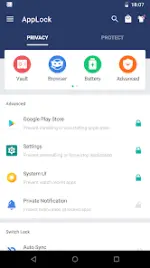
- Application Locking: Secures social media (Snapchat), financial apps (Paytm), gallery, and games (Ludo, Teen Patti).
- Media Vault: Encrypts and hides photos and videos with integrated cloud synchronization.
- File Security: Dedicated lockers for folders, audio files, and documents.
- Incognito Browser: Built-in private browsing that does not record history.
- System Protection: Prevents unauthorized changes to system settings and restricts unapproved app uninstalls.
Security Features
| Feature | Description |
| Advanced Protection | Uses Device Administrator to prevent the app from being killed or uninstalled without a password. |
| Intruder Selfie | Automatically captures a photo of users attempting unauthorized access. |
| Random Keyboard | Randomizes PIN input layout to prevent shoulder surfing. |
| Invisible Pattern | Hides pattern paths during the unlocking process. |
| Time Lock | Automates locking/unlocking based on specific time parameters. |
| Disguise Mode | Masks the AppLock icon as a calculator or compass. |
Utility & Optimization
- Power Saving Mode: Utilizes Accessibility services to reduce battery consumption and improve unlocking efficiency.
- Quick Switches: Toggle AppLock via notification bar or home screen widgets.
- Brief Exit: Allows re-entry into apps within a set time window without re-authentication.
- Customization: Supports well-designed themes and personalized backgrounds.
FAQ & Access Methods
- Password Management: Navigate to
AppLock > Protect > Unlock Settingsto modify credentials. - Accessing Hidden AppLock:
- Gallery: Select an image, tap "Share," and select "Open AppLock."
- Widget: Add the "Open AppLock" widget to the home screen.
- Dial Pad: Input
*#*#12345#*#*. - Browser: Navigate to
openapplock.comordomobile.com/applock.